We Re-Saved a JPEG Twenty Times and Nothing Happened
Everyone has heard that a JPEG gets worse every time you open and save it, and most people have seen the artwork made by re-saving an image five hundred times to prove it. So we measured it properly. Re-saving at the same quality, twenty times, changed the image by nothing at all — and then we found the conditions where it degrades badly.
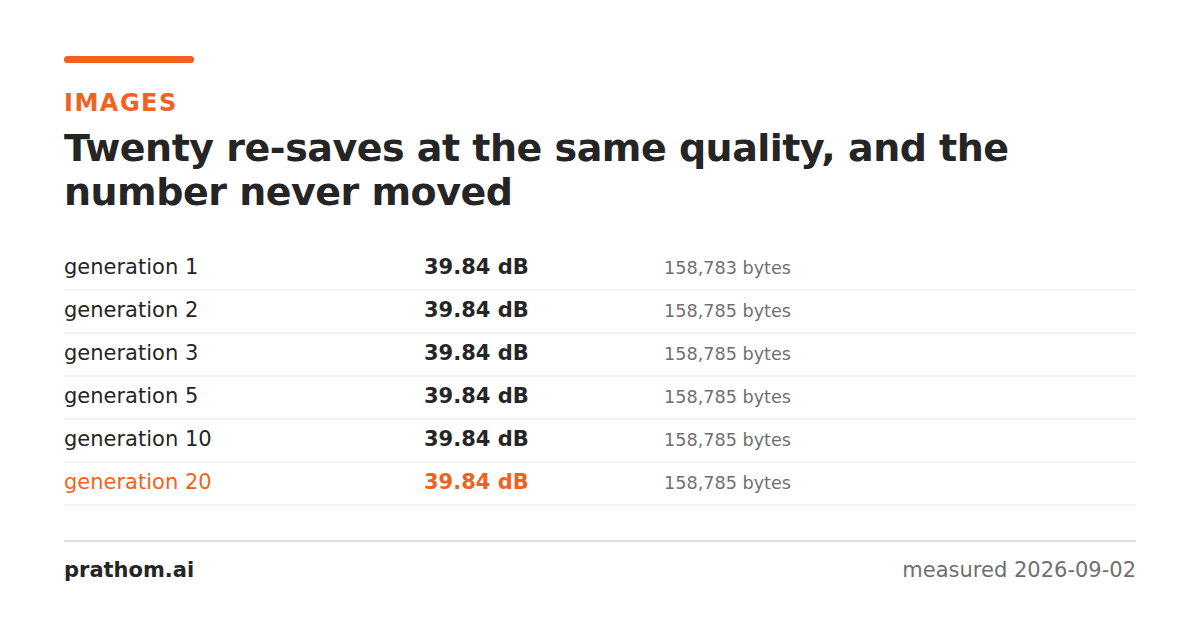
Take a photograph, save it as JPEG at quality 80, then open that JPEG and save it again at quality 80. Repeat twenty times. Compare each generation against the original.
| generation | file size | quality vs original |
|---|---|---|
| 1 | 158,783 B | 39.84 dB |
| 2 | 158,785 B | 39.84 dB |
| 3 | 158,785 B | 39.84 dB |
| 5 | 158,785 B | 39.84 dB |
| 10 | 158,785 B | 39.84 dB |
| 20 | 158,785 B | 39.84 dB |
Two bytes of change between the first save and the twentieth, and no measurable change in quality at all. The same test at quality 95 moved from 46.72 dB to 46.71 dB across twenty generations — a hundredth of a decibel.
Why it converges instead of decaying
JPEG compresses by transforming each 8×8 block of pixels into frequency coefficients, dividing those by a table of quantization values, and rounding to whole numbers. The rounding is where the information is lost.
The important property is that rounding is idempotent on already-rounded data. The first save takes arbitrary coefficient values and snaps them to the nearest multiple of the quantization step. The second save takes those snapped values and snaps them again — to the same multiples, because they are already sitting exactly on them. There is nothing left to round off.
For this to hold, three things must stay the same: the quantization table (which follows from the quality setting), the sampling factors, and the alignment of the 8×8 block grid. If all three are unchanged, the second encode reproduces the first encode's coefficients and the file barely moves.
Now break one of the three
The same photograph, but cropped by a single pixel before each save so the block grid shifts:
| generation | file size | quality vs original |
|---|---|---|
| 1 | 158,387 B | 39.16 dB |
| 2 | 157,460 B | 38.20 dB |
| 5 | 155,443 B | 35.92 dB |
| 20 | 148,562 B | 31.91 dB |
That is real, compounding damage — nearly 8 dB lost, and visibly so. A one-pixel crop moves every 8×8 block boundary, so the second encode is quantizing a completely different set of blocks, and there is fresh rounding error every time.
The same effect appears when the quality changes between saves, which is what happens when a file passes through several tools that each have their own default:
| generation | file size | quality vs original |
|---|---|---|
| 1 | 195,608 B | 41.00 dB |
| 2 | 233,724 B | 40.24 dB |
| 5 | 173,400 B | 37.07 dB |
| 20 | 201,189 B | 32.56 dB |
Note that the file got bigger at generation 2 while the image got worse. Saving at a higher quality than the previous save spends bytes preserving the previous save's artifacts with more fidelity. It cannot recover what was already discarded.
So what actually causes generation loss
Not opening and closing files. Editing them.
Every one of these is enough to reset the process and start losing information again:
- Cropping or resizing. Both move the block grid, and resizing changes the pixel values themselves.
- Rotating by anything other than a multiple of 90 degrees. A 90-degree rotation can be done losslessly by some tools precisely because it maps blocks onto blocks.
- Any pixel edit — a brush stroke, a color adjustment, a filter, a watermark.
- Changing the quality setting, in either direction.
- Passing through a tool that re-encodes with different sampling factors, which you will not see unless you look at the file.
That list covers essentially everything anyone does to a photograph, which is why the folklore is useful advice even though its stated mechanism is wrong. In a real workflow the file is rarely just re-saved; it is re-saved after something.
What to do about it
Keep a lossless master. Edit from PNG, TIFF or your camera's raw file and export a JPEG at the end. The export is one generation, every time, no matter how many rounds of editing preceded it.
If you must work in JPEG, minimize the number of encodes rather than the quality of each. Three edits saved once at quality 85 beats three edits saved separately at quality 95.
Do not raise the quality to compensate. It costs bytes and recovers nothing — the 233,724-byte second generation above is worse than the 195,608-byte first one.
Use lossless operations where they exist. Some tools can rotate, crop to multiples of 8, and strip metadata from a JPEG without re-encoding at all.
Repeating the test
magick photo.png -quality 80 gen0.jpg
for i in $(seq 1 20); do magick gen$((i-1)).jpg -quality 80 gen$i.jpg; done
magick compare -metric PSNR photo.png gen20.jpg null:
Then run it again with -crop 1599x1199+1+1 +repage -resize 1600x1200!inserted
into the loop, and watch the second number fall.