GIF Transparency Has Exactly One Bit, and It Shows on Every Edge
A PNG can record a pixel as 37% transparent. A GIF cannot — each pixel is either fully visible or fully invisible, and there is nothing in between. On a shape with a soft anti-aliased edge, that difference is measurable, and it is why a logo saved as GIF gets a jagged fringe that no amount of care in the original file prevents.
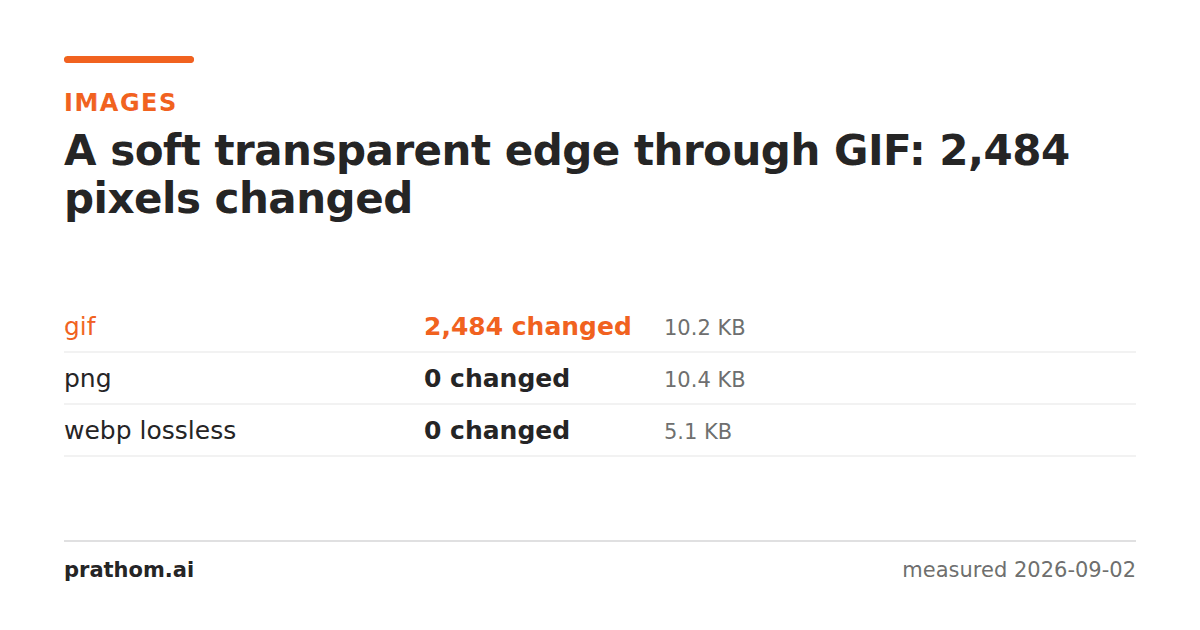
A 1600×1200 image containing one soft-edged circle on a transparent background, converted to four formats and compared back against the original:
| format | size | pixels changed |
|---|---|---|
| PNG | 10,629 B | 0 of 1,920,000 |
| WebP lossless | 5,242 B | 0 |
| TIFF (deflate) | 23,378 B | 0 |
| GIF | 10,445 B | 2,484 |
| BMP | 7,680,138 B | 0 |
Everything is lossless except GIF, and GIF is not lossy in the way JPEG is. It did not soften the image or introduce ringing. It changed 2,484 specific pixels, and they are all in the same place: the boundary of the circle.
What anti-aliasing is doing
A circle drawn on a square grid of pixels has to deal with the pixels the edge passes through. Filling them completely gives a staircase. Leaving them empty gives a staircase one pixel further in.
Anti-aliasing fills them partially — a pixel that the shape covers 40% of gets 40% opacity. Stand back and the eye integrates the partial pixels into a smooth curve. This is why a modern logo looks clean at any size, and the partial opacity is stored in the alpha channel, which in a PNG has 256 levels.
GIF's alpha has two. One color in the palette can be declared transparent, and every pixel either is that color or is not. There is no way to say 40%.
So when the encoder meets a 40%-opaque pixel it has to choose: make it fully transparent, or make it fully opaque in some approximation of the blended color. Either way the smooth ramp becomes a hard step, and 2,484 pixels on the circle's circumference get a different value than they had.
What it looks like
Two failure modes, depending on what the image is placed on.
Halo. If the encoder keeps the edge pixels opaque, they retain the color they were blended against in the original — usually white. Put that GIF on a dark page and every edge has a pale outline, as if the logo were cut out of white paper. This is by far the most common complaint and it is not a bug in the page, it is baked into the file.
Staircase. If the encoder drops the partial pixels to fully transparent, the edge reverts to the raw pixel grid and the curve becomes visibly stepped, which is what anti-aliasing existed to prevent.
Neither is fixable by editing the GIF, because the information that would let you fix it — how transparent each edge pixel should be — is not in the file any more.
The 256-color limit is the other half
GIF stores at most 256 distinct colors per frame. On the transparent shape that is plenty. On a photograph it is not: the same test converted a photograph to GIF and changed 1,919,700 of 1,920,000 pixels, because almost every color in the image had to be replaced with the nearest one in a 256-entry palette.
The interesting exception is text. A page of black text on white contains, after anti-aliasing, a few hundred gray levels at most — and the GIF of the text page was pixel-identical to the source, at 133,436 bytes. GIF is genuinely lossless on images that already fit in 256 colors. It is simply much larger than the alternatives when it is: PNG did the same page in 77,673 bytes and lossless WebP in 10,984.
When GIF is still right
Animation that must play everywhere, in any context, with no video element. This is the real remaining use, and it is why GIF has outlived every technical argument against it.
Images that are already flat and already within 256 colors, where you need a format that literally every piece of software since 1990 can open.
That is close to the whole list. For a static logo with soft edges, PNG or lossless WebP is both smaller and correct.
If you are stuck with GIF
Match the edge to the background you will actually use. If the GIF will sit on a white page, blend the anti-aliased edge against white before converting, and the halo becomes invisible because it matches. This only works when you know the background in advance and it never changes — which is exactly the constraint PNG removed.
Alternatively, remove the anti-aliasing deliberately: render the shape with hard edges at two or three times the final size and let the browser scale it down. A staircase you chose is easier to control than one the encoder chose for you.
Checking your own file
magick logo.png logo.gif
magick logo.gif back.png
magick compare -metric AE logo.png back.png null:
If that number is small and your image has soft edges, the changed pixels are almost certainly the edge. If it is close to your total pixel count, the palette is what got you, and GIF is the wrong format for that image regardless of transparency.