A Signature, a Redaction, and a Watermark Are Different Things
These three PDF actions can all change what a page looks like, but they answer different questions. A signature identifies a person, a redaction removes a visible detail, and a watermark communicates how the document should be used.
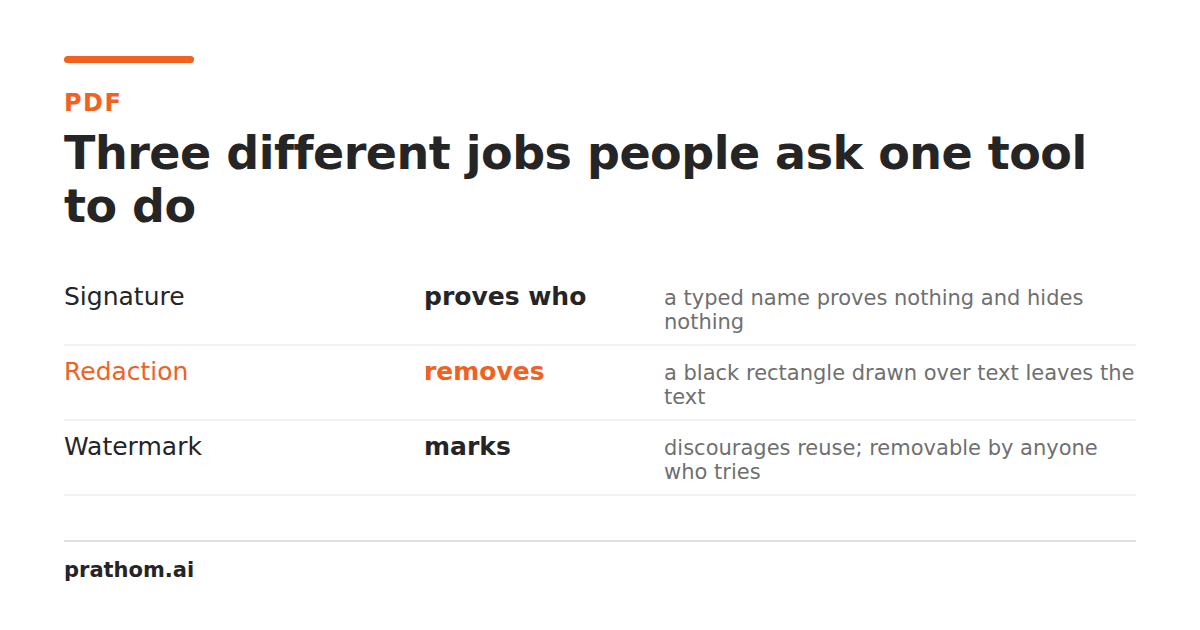
Put a name near the bottom of a PDF and it may look signed. Put a black rectangle over an account number and it may look redacted. Place the word DRAFT across a page and it may look marked. Those visual results are not interchangeable, and using the wrong operation can create a dangerous false sense of completion.
What a typed signature means
A typed signature is a visible acknowledgment. It can be useful when a form asks for a name, a date, or an approval mark and the recipient only needs to see who supplied it. It is not automatically a cryptographic signature, proof of identity, or tamper-evident seal.
The PDF Signature toolis intentionally narrow: it places a typed name and optional date on a page and downloads a separate copy. That makes the result useful for a visual sign-off, draft approval, or informal handoff. It does not claim to establish a certificate chain or verify that the signer controlled a particular identity.
Before using any typed signature, check what the recipient actually requires. A school form may accept a typed name. A contract portal may require a certificate-based signature. A regulated workflow may require a specific signing provider. The visible appearance of the output cannot answer that policy question for you.
What redaction is supposed to do
Redaction is about preventing a reader from seeing a specific piece of information. A correct redaction does not merely draw black ink over text; it removes or replaces the information in the output so that selecting, copying, searching, or inspecting the file does not reveal what the black shape covers.
There is an important difference between a visual page redaction and a complete document sanitization. The PDF Redactorreplaces a selected rectangle on one page with opaque pixels. It is safer than leaving a black vector rectangle over selectable text, but it deliberately does not promise to search the whole document. Other pages, metadata, attachments, comments, bookmarks, hidden layers, and duplicate mentions can still contain the same sensitive value.
That limitation is not a technical footnote. Redaction is a document-wide review problem. If you cover an account number on page one but the same number appears in an attachment or in a searchable table on page three, the recipient may still learn it. After creating a redacted copy, search for the value, inspect every page, check attachments and metadata, and open the result in another PDF reader.
What a watermark communicates
A watermark communicates treatment or status. “DRAFT,” “CONFIDENTIAL,” “SAMPLE,” and a company name tell the next reader how the document should be handled. A watermark normally remains visible because its job is to add a signal, not remove information.
The PDF Watermark toolstamps text across pages with control over wording, color, opacity, and placement. It is useful for a review copy, internal circulation, or a document that needs a visible label before it leaves your team. It does not protect a file from copying, encrypt the contents, revoke access, or remove confidential text. A low-opacity watermark is a communication layer, not a security boundary.
Choosing the right operation
Ask what the recipient needs to know. If they need to see who approved a page, a visible signature may be appropriate. If they must not see a number, name, or address, use a redaction process and review the whole document. If they need to know that a file is provisional or restricted, use a watermark without pretending the underlying information is hidden.
These operations can also appear in one workflow. You may redact a client identifier, add a DRAFT watermark to a review copy, and then obtain a formal signature through a separate service. Do them in that order only if the policy for your document supports it, and keep the original private. Every derived PDF should be opened and checked before it replaces the source in a handoff.
The visual similarity between these actions is exactly why the distinction matters. A typed name is not a security certificate, a black box is not proof of complete sanitization, and a watermark is not encryption. Choose the operation for the risk you are trying to address, then verify the output for that specific risk.