Why item10 Sorts Before item2
Sort a list of files and item10 lands before item2. This is not a bug and it is not a bad sort — it is the correct result of comparing text as text. Natural sort is the fix, and knowing when not to use it matters as much as knowing how.
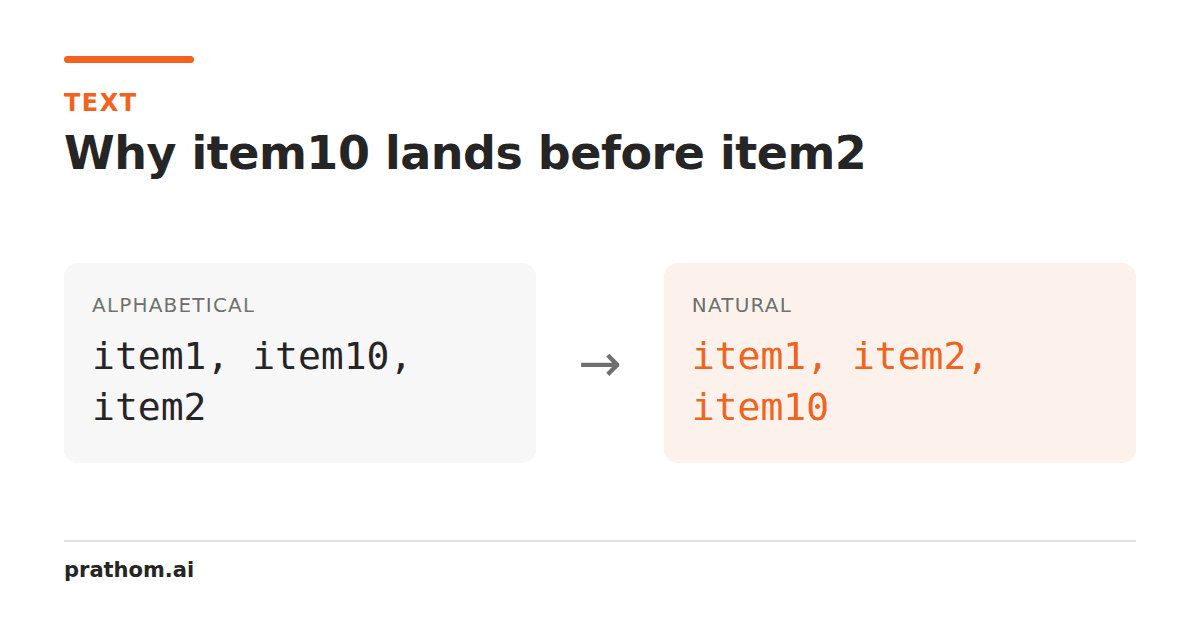
Sort item1, item2, item10alphabetically and you get:
item1
item10
item2
Everyone's first reaction is that the sort is broken. It is not.
Why this is correct
Alphabetical sorting compares character by character, left to right, and stops at the
first difference. Compare item10with item2:
i=i,t=t,e=e,m=m— identical so far.- Position five:
1against2. The character1comes before the character2. - Decision made.
item10sorts first, and the0is never examined.
This is exactly right for text. The comparison has no idea that 10and 2are
quantities — it sees the characters 1, 0and the character 2, and 1precedes
2in every character ordering ever defined.
The mistake is not in the algorithm. It is in asking a text sort to understand arithmetic.
What natural sort does
Natural sort — sometimes called human sort or version sort — splits each string into runs of digits and runs of non-digits, then compares digit runs numerically and everything else as text.
item10becomes ["item", 10]. item2becomes ["item", 2]. Compare piecewise:
"item"equals "item", then 10against 2as numbers, and 2wins.
item1
item2
item10
Which is what you wanted.
Our sort text linestool has this as a mode, alongside alphabetical, code point, length, and reverse. The mode is explicit rather than guessed, because the right answer genuinely depends on what the list is.
Where you have already seen both
Windows Explorer uses natural sort, which is why your holiday photos appear in the order you took them.
The Unix sortcommand uses alphabetical by default, which is why ls | sortputs
file10.txtbefore file2.txt. sort -Vgives you version sort.
Most programming languages sort alphabetically by default, because that is the sound
default for arbitrary strings. JavaScript's Array.sort()with no comparator converts
everything to strings first — which is why [1, 2, 10].sort()returns [1, 10, 2]
and catches everyone once.
When natural sort is wrong
Not often, but the cases are real:
Identifiers that are not quantities. Part number A100and part number A99may
have no numeric relationship at all — the digits could encode a category and a variant.
Sorting them numerically imposes an order that does not mean anything.
Version strings with more than two components. 1.2.10versus 1.10.2needs each
segment compared separately as a number, which is what semantic version sorting does.
Natural sort handles the common cases and full semver comparison is its own algorithm.
Leading zeros that carry meaning. 007and 7compare equal numerically, but if
the leading zeros indicate a fixed-width code, they are different values. Natural sort
will treat them as ties and their relative order becomes arbitrary.
Locale-sensitive text. Natural sort concerns digits; it says nothing about how ä
should sort relative to a, which differs by language. In German phone-book ordering
äsorts with a; in Swedish it sorts after z. That is a separate question, handled
by locale-aware comparison rather than by natural sort.
The other modes, and when each one is right
Code point order compares raw character values, so every uppercase letter sorts
before every lowercase one: Banana, apple, cherry. It looks wrong and it is
occasionally exactly what you need — it is what a programming language's default sort
does, so if you are reproducing what your code will do, this is the mode that matches.
Length order is genuinely useful for finding the outliers: the truncated entry, the one row where two fields got concatenated, the suspiciously long line. Sort by length and both ends of the list are where the problems are.
Reverse is worth mentioning because reversing a sort is not the same as sorting descending when there are ties — reversing also reverses the tie order, which matters if the tie order was meaningful.
Ties need a rule
Any sort with equal keys has to decide what happens to them, and "whatever the sort function does" is not a decision.
Sorting by length puts bband ccat the same key. If the implementation is
unstable, their relative order can differ between runs or between browsers, and a
"deterministic" tool stops being deterministic. The fix is a secondary comparison — sort
by length, then alphabetically for ties — which is what our tool does, so the same input
always produces the same output.
This is the same reason a shuffle mode needs a seed. Ours derives one from the input, so shuffling the same list twice gives the same shuffle. A random shuffle would be unreproducible, which sounds fine until you want the arrangement you had a minute ago.
The short version
item10before item2is a correct text sort. Use natural sort when the digits are
quantities, alphabetical when they are labels, and make sure whatever you use has a
tie-break — otherwise the answer can change between runs.