We Sent a CSV Through a Spreadsheet and Watched What Died
Open a CSV in a spreadsheet, change nothing, save it again, and the file that comes out is not the file that went in. This is well known for postcodes and product codes with leading zeros. We ran a deliberately awkward CSV through the round trip to find out exactly which fields survive and which do not.
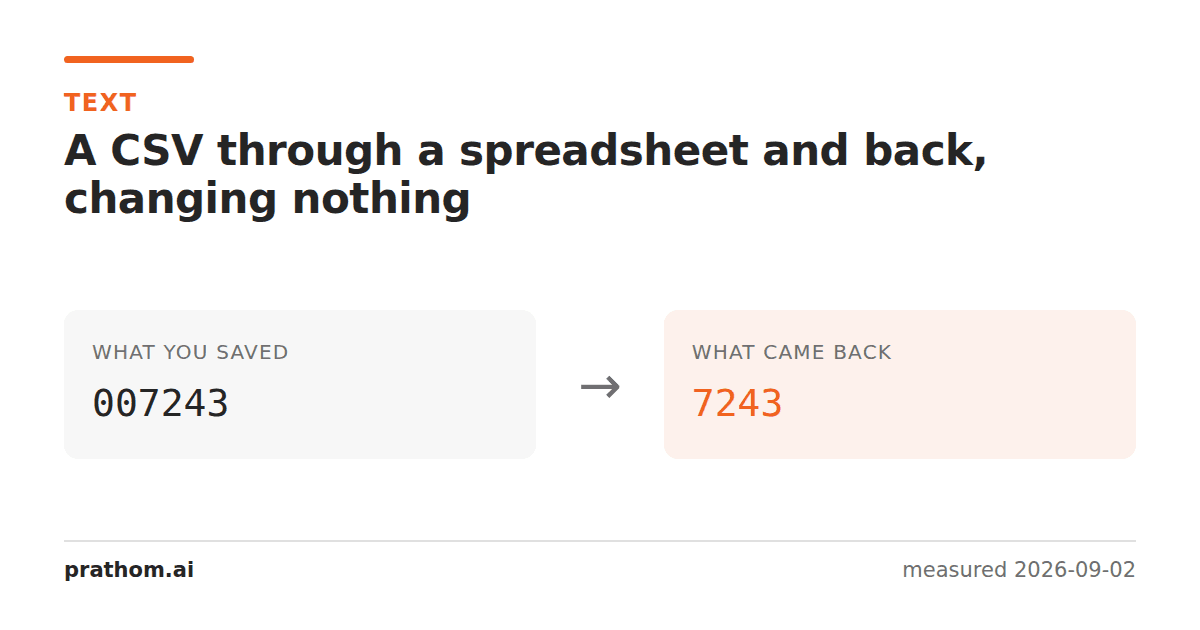
A CSV with eight deliberately awkward rows, converted to a spreadsheet and straight back out, with no editing in between:
| field | went in as | came back as |
|---|---|---|
| leading zeros | 00123 | 123 |
| formula-looking text | =1+1 | gone |
| leading plus | +91 98765 | +91 98765— survived |
| accented text | Zoë, café | survived |
| combining accent | e+ acute | survived |
| CJK | 日本語 | survived |
| emoji | 👍🏽 | survived |
| quoted field with commas | "café, résumé" | survived |
| escaped quotes | "a ""quoted"" field" | survived |
The encoding held up completely — every non-ASCII case came back intact, which is better than the format's reputation suggests. What did not survive is the two cases where the spreadsheet decided the text was not text.
The one rule behind both losses
A CSV has no types. Every field is characters. A spreadsheet has types, and when it opens a CSV it has to guess one for every cell.
00123looks like a number, so it becomes the number 123, and a number has no
memory of how it was written. On the way back out it is rendered as 123. The
leading zeros were not stripped by a bug; they were never stored, because the cell
stopped being text the moment it was read.
=1+1looks like a formula, so it becomes one. On the way back out the result
is written, not the formula text.
Everything else survived because none of it looked like anything but text.
The fields most likely to be destroyed
Anything that is a code rather than a quantity, which is most identifiers:
- Postcodes and ZIP codes —
01234becomes1234. - Product and SKU codes — anything with a leading zero.
- Phone numbers — leading zeros in national formats vanish; long numbers can become scientific notation.
- Bank and account numbers — long digit strings become floats and lose precision past about fifteen digits, silently changing the last digits to zeros.
- Dates — a spreadsheet will parse
03/04as a date, and which of March and April it picks depends on locale. - Version numbers —
1.10becomes1.1. - Gene names — a famous case: several human gene symbols such as
SEPT1were being converted to dates so consistently that the naming committee renamed the genes.
The tell is the same in all of them: the value is an identifier that happens to be made of digits, and arithmetic on it would be meaningless.
How to avoid it
Do not open the CSV in a spreadsheet. If the file is being passed between systems, keep it as a file. This is the only approach that works reliably, because every other one depends on somebody remembering.
Use the import dialog, not File → Open. Both Excel and LibreOffice have a text import step where each column's type can be set to Text. It is the same file either way; the difference is whether you are asked.
Exchange a typed format. If both ends can read .xlsx, use it — the types are
stored in the file rather than inferred from it. For machine-to-machine transfer,
JSON or Parquet remove the problem entirely.
Quoting does not save you. "00123"in a CSV means the text 00123— the
quotes are CSV syntax, not a type hint — and a spreadsheet will still parse it as a
number. This surprises people who assume quoting is a protection.
The apostrophe prefix is a spreadsheet convention, not a CSV one. Writing
'00123forces text in Excel and LibreOffice, and it will appear as a literal
apostrophe to anything else that reads the file. Use it only when a human will open
the result.
Checking a round trip yourself
Take a file you care about, run it through whatever path you actually use, and diff the result against the original:
diff <(sort original.csv) <(sort roundtripped.csv)
Do it once, with a sample containing your most awkward rows. It takes a minute and it tells you what your specific pipeline does, which is more useful than any general rule — because the behavior differs between Excel versions, between locales, and between Excel and LibreOffice.
What did survive, and why it is worth noting
The encoding results are the good news, and they are worth stating because CSV has a reputation for mangling non-English text that is now largely out of date. Accented Latin, CJK, a skin-toned emoji and a combining accent all made the round trip unchanged, as did quoted fields containing commas and doubled quotes.
That reputation came from a real era, when spreadsheets defaulted to a regional single-byte encoding and a CSV written as UTF-8 opened as mojibake. Modern versions of both Excel and LibreOffice handle UTF-8 correctly, and the surviving problem is type inference rather than character encoding.
The one encoding-shaped exception is that Excel on Windows historically needed a byte order mark at the start of a UTF-8 CSV before it would recognize the encoding on File → Open. That is why so many systems emit CSVs with three invisible bytes at the front — a workaround for one program that then confuses everything else that reads the file.
The general shape of the problem
Anything that infers types from values will eventually infer the wrong one, and the cost is asymmetric. Getting a number right saves the user a formatting step. Getting an identifier wrong silently corrupts a record in a way that survives every subsequent copy, and there is nothing in the corrupted file that says it used to be different. That asymmetry is the argument for typed formats whenever a machine is on both ends of the exchange.