The Three Invisible Bytes at the Start of Your CSV
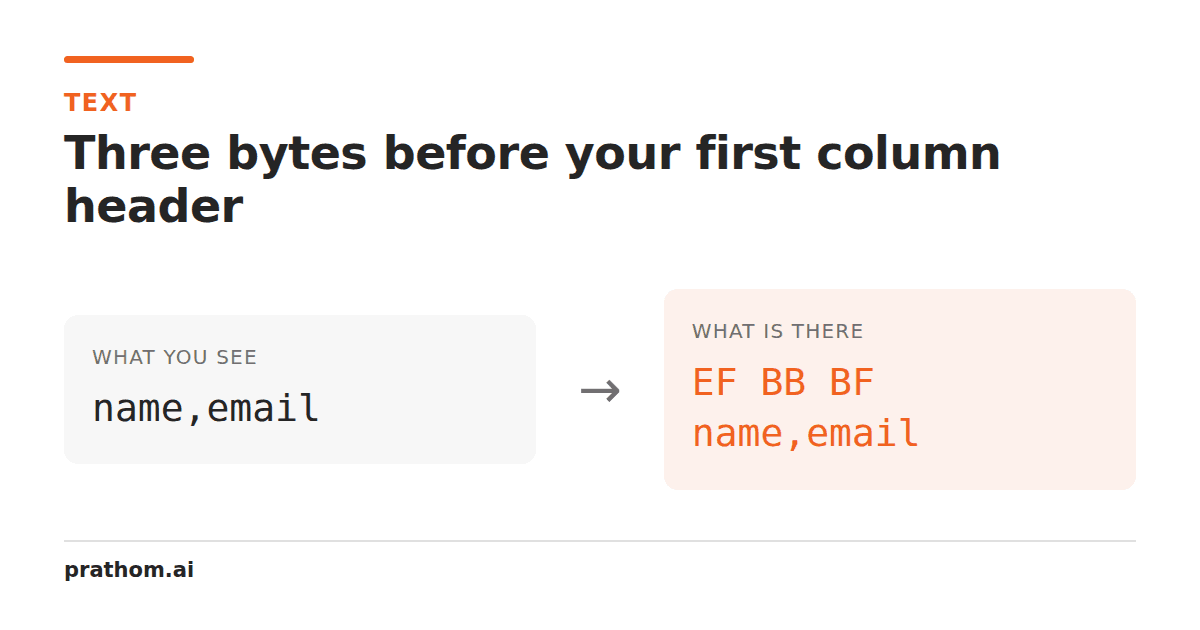
Your CSV has a column called `id`. Your code looks for a column called `id`. It is not there. Print the header and it says `id`. The problem is three bytes at the very start of the file that no editor displays, that Excel on Windows once needed, and that half the software in the world now has to work around.
The same two-line CSV, saved four ways:
| encoding | bytes for a,b\n1,2\n | first four bytes |
|---|---|---|
| UTF-8, LF | 8 | 61 2c 62 0a |
| UTF-8 with BOM, LF | 11 | ef bb bf 61 |
| UTF-8, CRLF | 10 | 61 2c 62 0d |
| UTF-16LE with BOM | 18 | ff fe 61 00 |
The second row is the one that causes support tickets. Three extra bytes — ef bb bf — sit in front of the first character, and every text editor in existence hides
them.
What a BOM is for
A byte order mark is the code point U+FEFF written at the start of a file. It was
invented for UTF-16, where it does real work: ff feand fe fftell a reader
whether the two-byte units are little-endian or big-endian. Without it, a UTF-16
file is ambiguous.
UTF-8 has no byte order to mark. Its units are single bytes, so the question does not arise. A UTF-8 BOM is therefore not a byte order mark at all — it is a signature saying "this file is UTF-8", and the Unicode standard explicitly does not recommend it.
It exists because Microsoft Excel on Windows, for many years, would open a UTF-8 CSV
as if it were the local single-byte codepage unless the BOM was present. A file full
of caféwould open as café. Adding the BOM was the only reliable fix, so a
great deal of export code adds it, and now every consumer of those files has to cope.
What it breaks
Header matching. The first column name is not id, it is id. String
comparison fails, dictionary lookup fails, and printing the header shows id
because the terminal renders the BOM as nothing at all. This is the single most
common symptom.
Numeric parsing. If the first column is a number, 1is not a valid
integer, and the error message will quote the value as 1.
Concatenation. Joining ten CSVs puts a BOM in the middle of the result nine times, and a BOM in the middle of a file is just a stray invisible character.
JSON. A JSON file with a BOM is invalid JSON by the specification, and many
parsers reject it with a syntax error at position 0 that appears to point at a
perfectly good {.
Shell scripts and config files. A script beginning with a BOM before #!will
not execute, because the kernel does not find the shebang at byte zero.
How to see it
The BOM is invisible by design, so you need a tool that shows bytes:
head -c 16 file.csv | hexdump -C
If the output starts ef bb bf, the file has a UTF-8 BOM. If it starts ff feor
fe ff, the file is UTF-16 and your problems are larger.
file file.csvwill also say "UTF-8 Unicode (with BOM) text", which is quicker to
read and slightly less reliable across systems.
Removing it
sed -i '1s/^\xEF\xBB\xBF//' file.csv
Or in most languages, decode with an encoding that consumes it: Python's
utf-8-sig, .NET's StreamReaderwith detection enabled, and Node's TextDecoder
with ignoreBOM: false.
The important part is doing it once, at the point where files enter your system, rather than defensively stripping it in every function that touches a string.
Should you write one?
If a human will open the file in Excel on Windows: yes. This is still the situation the BOM exists for, and the alternative is your users seeing mojibake and concluding your export is broken.
If a machine will read the file: no. It is three bytes of noise that the receiving end has to be built to tolerate.
If both: emit it, and tell the other end. A BOM is easy to strip when you know it is there and mystifying when you do not.
There is a case for splitting the export into a "download for Excel" button and an API endpoint, precisely because those two consumers want incompatible files. That is a slightly ugly interface reflecting a genuinely awkward reality, and it is better than one file that is subtly wrong for both.
The related invisible characters
A BOM is the most common invisible character to appear at the start of a file, and not the only one that breaks matching. Non-breaking spaces from word processors, zero-width spaces from copy-pasted web pages, and soft hyphens from justified text all render as nothing and all defeat exact comparison. If a value looks right and will not match, the first move is always to look at the bytes rather than at the characters.