Two Words That Look Identical and Are Not the Same Text
A search that finds nothing, a duplicate that will not deduplicate, a login that fails with the right password. Often the cause is that two pieces of text that look exactly the same on screen are different sequences of bytes — and Unicode allows both spellings on purpose. Here is what is happening and the one-line fix.
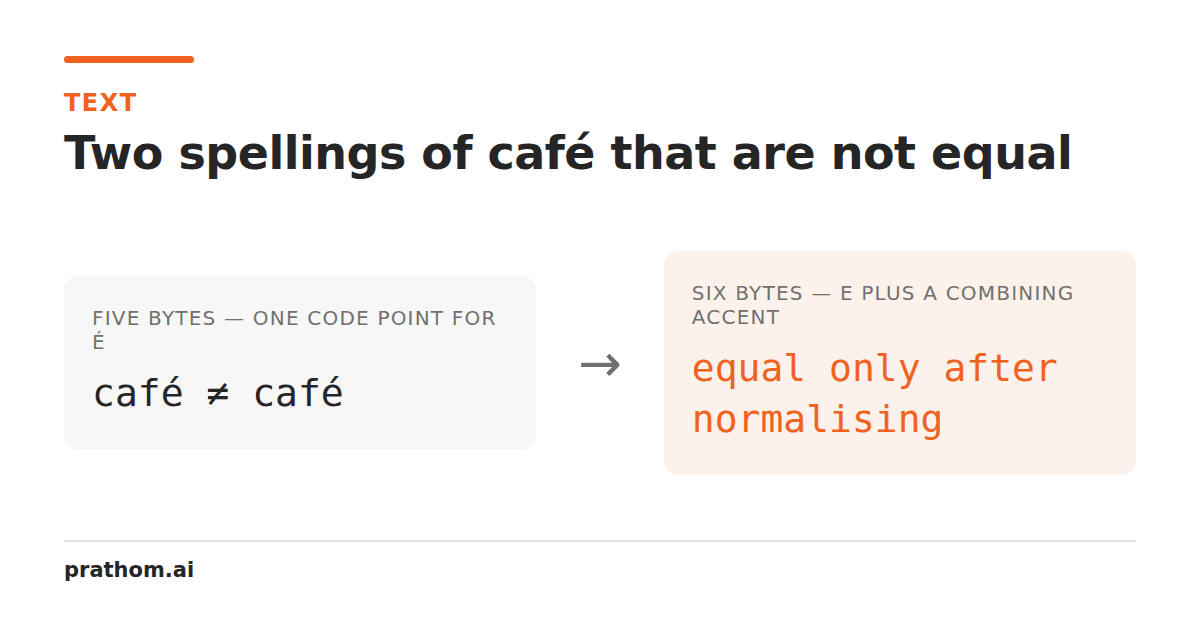
The word café, written two ways:
| spelling | code points | length | UTF-8 bytes |
|---|---|---|---|
c``a``f``é | 4 | 4 | 5 |
c``a``f``e+ combining acute | 5 | 5 | 6 |
They render identically in every font. They are not equal as strings. Compare them
and you get false. Search a document containing one for the other and you find
nothing. Deduplicate a list containing both and you keep two rows.
Why Unicode allows two spellings
Because it had to. When Unicode was designed it needed to round-trip cleanly with
the national character sets already in use, and several of those contained
precomposed accented letters as single characters. Dropping them would have broken
conversion; so éexists as one code point.
It also needed to handle scripts where any of hundreds of base letters can combine with any of dozens of marks — Vietnamese, Devanagari, and much of the world's writing. Enumerating every combination as its own code point is impossible, so combining marks exist as separate characters that attach to the preceding one.
The result is that for a few hundred common letters, both mechanisms work, and both are legal. Which one you get depends on where the text came from: macOS filesystems historically produced decomposed text, most Windows and web input produces precomposed, and copy-paste between applications can convert in either direction without telling you.
Normalization, and which form to pick
Unicode defines four normalization forms. Two matter in practice.
NFC composes where it can: e+ acute becomes é. This is the shorter form,
it is what the web recommends, and it is what most systems already produce.
NFD decomposes: ébecomes e+ acute. Useful when you want to strip accents,
because after decomposing you can simply delete all the combining marks.
The other two, NFKC and NFKD, additionally fold compatibility differences — the
ligature fibecomes fi, the full-width Abecomes A, superscript ²becomes
2. That is useful for search and dangerous for storage, because it destroys
distinctions the author may have meant.
Normalize to NFC on input and store that. One line in most languages:
text.normalize("NFC")          // JavaScript
unicodedata.normalize("NFC", text)   // Python
Where it actually shows up
Search that misses. The document says cafédecomposed, the query says café
composed. Zero results, and the user can see the word on the page.
Deduplication that does not. Two customer records with what looks like the same name, because one came from a Mac and one from a form.
Filenames. A file created on one system and looked up on another. This is the original and most notorious case: macOS normalizes filenames to a variant of NFD, so a filename created there and stored in a database can fail to match the same filename typed on Linux.
Passwords. If a password contains an accented character and the two ends normalize differently, it will not match — and the user is certain they typed it correctly, because they did.
URLs and identifiers. Two slugs that look the same and are different rows.
Invisible characters, the related problem
Normalization is one way text can differ invisibly. There are others, and they produce the same symptoms:
- Zero-width space (U+200B) and zero-width joiner (U+200D), often carried in by copy-paste from a web page.
- Non-breaking space (U+00A0) instead of a plain space, produced by many word
processors and by HTML
. - Soft hyphen (U+00AD), invisible unless the line wraps there.
- Byte order mark (U+FEFF) at the start of a file.
- Right-to-left and left-to-right marks, which affect display and not content.
None of these render. All of them break exact matching.
A short checklist
- Normalize to NFC when text enters your system, once, at the boundary.
- Normalize again before any comparison you did not write yourself.
- For search, consider NFKC and case folding as well — you want matches, not fidelity.
- When something "obviously" matches and does not, compare the code points before assuming the comparison is broken. It usually is not.
How to see the difference
The fastest way to confirm this is the cause of a problem is to print the code points of both strings and compare them directly:
[...'café'].map(c => c.codePointAt(0).toString(16))
One spelling gives 63 61 66 e9. The other gives 63 61 66 65 301. Once you can
see that, the fix is obvious and the bug stops being mysterious.
On the command line, hexdump -Con two files containing the "same" word shows the
same thing in bytes, and is often quicker than reasoning about where the text came
from.
Do it once, at the edge
The reason to normalize on input rather than at every comparison is that comparisons are everywhere and inputs are few. A system that normalizes when text arrives — from a form, an upload, an API — can then treat its own stored text as canonical and compare it freely. A system that normalizes at comparison time has to remember to do it in every query, every deduplication, every join, and it will miss one.
The exception is search, where you usually want to normalize the query and the index with a more aggressive form than you store with. Storing NFC and indexing NFKC with case folding gives you exact data and forgiving search, which is the combination most people actually want.