Upscaling Gave Back 91% of the File Size and None of the Detail
An upscaled image has the dimensions of the original and a file size close to it, which makes it look like the detail came back too. It did not. What the extra bytes are storing is the interpolation between pixels that were thrown away, and no amount of it is the same as having them.
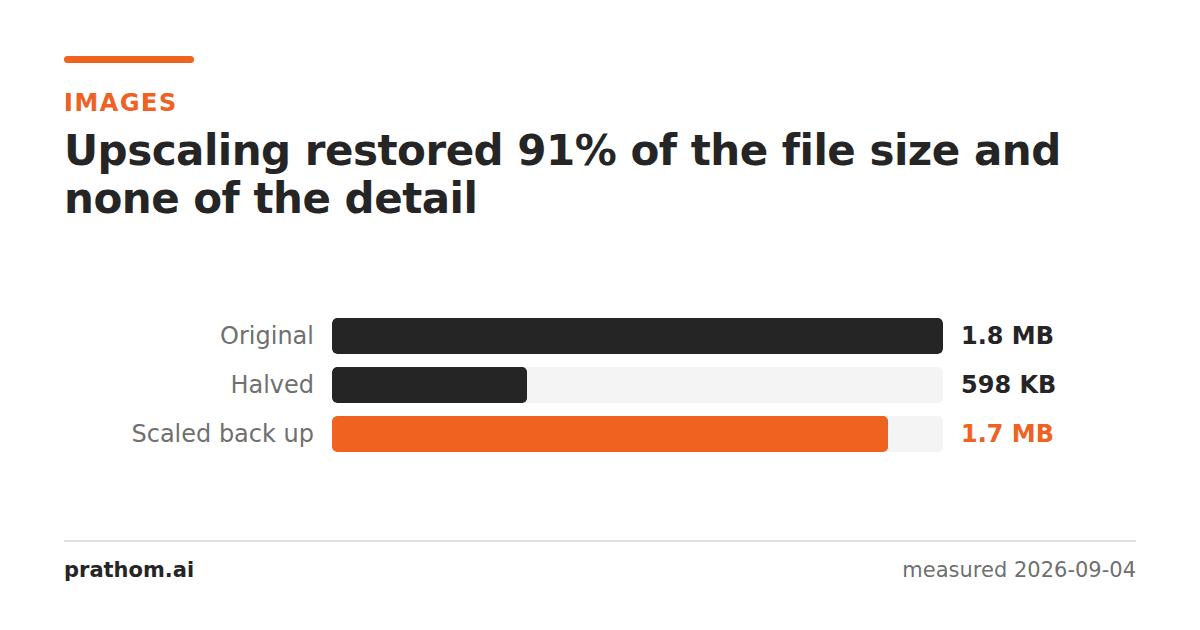
A photograph halved and then scaled back to its original dimensions:
| size | |
|---|---|
| original | 1,917,409 B |
| halved | 612,199 B |
| scaled back up | 1,744,403 B |
The restored file is 91% of the original's size. Against the original it scores 46.03 dB, and 1,896,560 pixels differ — which on this image is essentially all of them.
What the bytes are storing
Halving an image discards three pixels in every four. Scaling back up cannot recover them, because they are gone; it invents replacements by interpolating between the ones that remain.
Those invented pixels are not free to store. They are smooth gradients where the original had detail, and a file has to encode them just as it encoded the real thing. So the size climbs back towards the original while the information does not — the file is now mostly a careful record of a blur.
This is why file size is a bad proxy for image quality. Two files of the same size can hold very different amounts of picture, and an upscaled image is the clearest case: nearly all the bytes, almost none of the detail.
Where the confusion comes from
"It looks fine on my screen." Displayed small, an upscaled image looks acceptable, because the display is throwing away detail anyway. Open it at 100% and the softness is immediate.
The dimensions are right. A form asking for 1600 pixels wide will accept an upscaled 800-pixel image, and it will pass every automated check. The check is on the number, not on whether the pixels mean anything.
It is not obviously worse than a resize. Downscaling is genuinely information-preserving in the sense that matters — the result is a smaller, correct picture. Upscaling is the same operation run backwards and it is not symmetric.
What about AI upscalers?
They are a genuinely different thing, and it is worth being precise about how. A conventional upscale interpolates: it computes each new pixel from its neighbors, and cannot produce anything that was not implied by them. A model generates plausible detail from what it has learned about images in general — edges get sharper, texture appears, a face gains features.
That is often much better-looking. It is also, strictly, invention: the detail is consistent with the input rather than recovered from it. For a photo you are enlarging to hang on a wall, that is exactly what you want. For anything where the image is evidence — a document, a license plate, a medical scan — it is the wrong tool, because the new detail is a guess with no way to tell it apart from the real thing.
Check whether an image has been upscaled
There is no flag in the file, but there is a strong tell: look at it at 100% and find an edge. A genuine photograph has some sharpness at the boundary between two areas; an upscaled one has a smooth ramp of intermediate pixels several pixels wide, everywhere, uniformly.
Text and straight lines are the easiest place to see it. Any picture of a sign, a label or a screen goes visibly soft under upscaling in a way that a slightly out-of-focus photograph does not, because blur from a lens is uneven and blur from interpolation is identical in every direction.
What to ask for instead
When somebody sends an image that is too small, the useful request is not "can you upscale it" — it is "do you have the original". Almost always they do, and it is at the size the camera produced. The upscaled version exists because the file went through a chat app or a document, and the full-size file is still on the device that took it.
The practical version
The rule that follows from the table: keep the original. Every workflow that avoids upscaling comes down to still having the file at its full size, and every workflow that requires it starts with having thrown that file away.
Image resizescales down, which is the direction that works, and scales up when you need the dimensions. AI image upscaleris the one to reach for when the result has to look right rather than merely measure right — and worth avoiding when what the image shows has to be what was there.