Which of These Tools Run in Your Browser
This post used to say almost every tool here ran in your browser. That stopped being true in August 2026, so it has been rewritten rather than quietly left up. Some tools still run entirely on your machine, many now run on our server, and the useful part is that you never have to take our word for which — you can check any of them yourself in ten seconds.
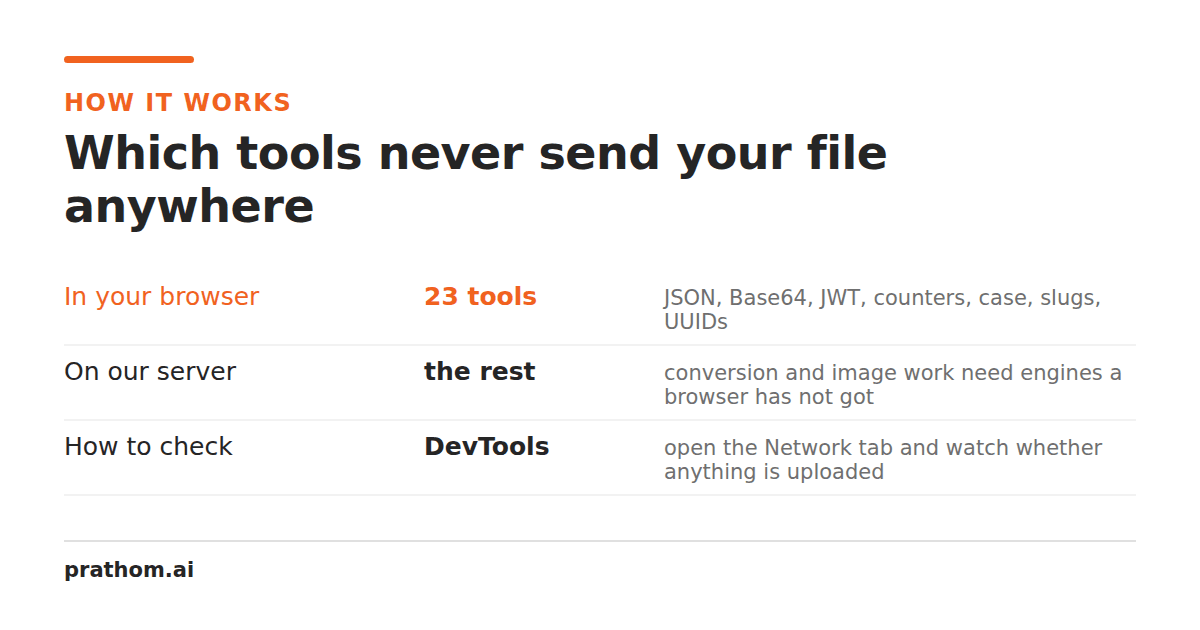
This post has been rewritten. Until August 2026 it said that almost every tool here did its work in your browser. That was true when it was written and it is not true now: file conversion, the AI image tools, and a number of text tools moved onto our server, because on a large input a round trip to a real machine finishes sooner than your laptop does. Leaving the old version up would have been the more comfortable option and a dishonest one.
So the site is mixed. Some tools never send anything anywhere. Many now do. The good news is that this is not something you have to believe — it is something you can check, per tool, in about ten seconds, and that check is worth more than any paragraph we could write here.
Verify it in ten seconds
Load the tool page. Turn off your internet — unplug the cable, disable Wi-Fi, aeroplane mode, whatever is quickest. Now paste your text and use the tool.
If it works, the processing is local. There is no other explanation: no network, no server, no upload.
If it does not, that tool runs on our server. That is now a real possibility rather than a gotcha, and it is not hidden: every tool page carries a badge — "Runs in browser" or "Server-side" — above the tool itself, before you paste anything.
The more thorough version is your browser's developer tools: open the Network tab before you paste, then use the tool. Local processing shows no new requests. This is also how you check any other site making the same claim, which is the more useful skill.
What this buys you
Nothing is stored, because nothing arrives. We cannot log, leak, subpoena, or accidentally index text we never received. This is a structural property rather than a policy — policies change, and architecture is harder to change quietly.
No size limits from us. Server-side tools cap upload sizes because bandwidth and memory cost money. Your browser's limit is your own memory, which is usually much larger than a free tier allows.
No queue. A busy server-side tool makes you wait behind other people's work. Your own CPU has no queue.
It works offline. After the page has loaded once, most of these tools keep working with no connection at all — on a plane, on bad hotel Wi-Fi, or in a building with no signal.
Genuinely free, sustainably. This is the unglamorous reason and it matters most for whether the site still exists in three years. A tool costing us nothing per use can stay free at any traffic level. A tool costing CPU per use needs a business model, and that model is usually a size limit and a paid tier.
What it costs
Being straight about the trade-offs, because they are real:
Some things genuinely cannot be done locally. Anything needing a large language model, a database, or software that does not exist in a browser has to run on a server. We say so on the tools where that applies.
Your device does the work. A large input on an old phone is slower than it would be on our server. For the calculators and the developer tools this is irrelevant — they finish before you lift your finger.
More JavaScript. Client-side processing means shipping the code. We keep it small and load heavy libraries only after you have asked for something that needs them — never on page load, which is what keeps these pages fast.
Older browsers. A few of these tools use Intl.Segmenterfor correct handling of
emoji and accented characters. It is in every current browser and absent from very old
ones, where the fallback is less accurate.
Where it stops being true
This section used to name three exceptions and call them "the complete list". There are now four categories, and the first is much larger than the other three put together.
Server-side tools. Every file converter, every PDF tool, every AI image tool, most of the image tools and most of the text tools run on our machine. Your file or text is uploaded, processed, and deleted — the upload as soon as the operation finishes, any result within thirty minutes. These carry a "Server-side" badge.
They are not a minority. Counted on 1 September 2026 against the component each page actually renders — a real network call, not a guess from the folder name — 353 tools send your file or text to us and 33 do not. An earlier version of this section named three exceptions and called them the complete list; the exceptions became the rule and this paragraph did not notice for a while.
The 33 that transmit nothing are: every calculator, every developer tool, and nine others — the color picker, the palette sampler, the favicon generator, the SVG optimizer, image-to-base64, the non-AI background remover, find-and-replace, the lorem generator and the subtitle converter.
The AI enhance button. Some creator tools have an optional "Enhance with AI" control. Pressing it sends your topic to our server and on to a language model, which is unavoidable — the model does not run in your browser. Nothing is sent until you press it, and the tool works fully without it.
Site search. Typing a query into search sends the query to us. We keep those queries, and it is worth saying why plainly: what people search for and fail to find is how we decide which tools to build next. It is the most useful signal we have and it is the reason search is not client-side.
Basic traffic counting. We count that a tool was used, as a single number per tool per day. No cookie, no visitor identifier, no session, no IP stored, no referrer. It answers "is anyone using this" and nothing else, and it is a number we could not derive from server logs because there are no server requests to log.
Everything outside those four is a static page and code running on your machine — all the calculators, the PDF tools, and most of the developer tools. The badge on each page is the authority, not this list, because the badge is generated from what the tool actually does.
What this looks like in the tools
The three tools this section used to cite — the word counter, text diff and the whitespace remover — are all server-side now, which is a fair illustration of why the post needed rewriting rather than patching.
Where it still holds, it holds completely. The PDF toolsare the strongest case: merging a PDF, splitting oneand pulling the text outall happen entirely inside the page, so a contract is never transmitted at all — and for a document, "we never received it" is a better answer than "we deleted it after an hour". Every calculator is the same story for a duller reason: it is arithmetic on a handful of numbers, and a network round trip would make it slower and buy nothing. The developer tools are local for a third reason again — several of them handle live credentials, which should not travel even over TLS when the work is instant on your own machine.
The short version
Some of it happens on your machine and some of it happens on ours. Each tool page says which, and you never have to take that on trust — open the Network tab and watch. Where the answer changed, we changed the page rather than leaving a nicer sentence up.