Why PDF to Word Never Comes Out Perfect
A PDF does not contain paragraphs. It contains characters at coordinates, in whatever order the program that made it happened to emit them. Everything a converter hands you above the level of a single character is a reconstruction, and knowing which parts were guessed tells you where to look first.
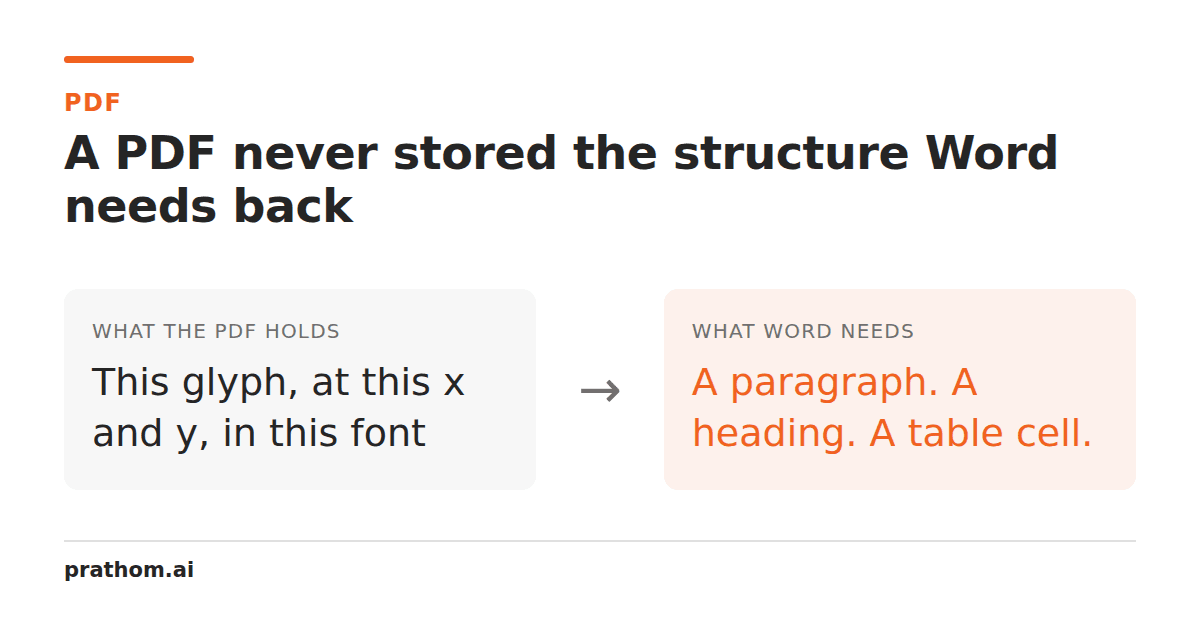
Word documents and PDFs look like two versions of the same thing. They are not even the same kind of thing, and the gap explains every disappointing conversion anyone has ever run.
A Word document is a description of content. It says: here is a paragraph, it uses the Body style, it contains this sentence, and inside it these four words are bold. Where any of that lands on a page is computed later, by whatever program opens it, which is why changing the margins reflows the whole document.
A PDF is a description of a page. It says: draw the glyph "T" at x=72, y=709 in 11-point Times. Then draw "h" at x=79.2. Then "e" at x=84.8. It is closer to a set of printing instructions than to a document, and it is deliberately that way — a PDF looks identical everywhere precisely because nothing is left to be recomputed.
So the conversion is not a translation between two dialects. It is an attempt to recover a description of content from a description of ink.
What has to be guessed
Where words end. A PDF is not obliged to record spaces at all. Many writers
simply position the next glyph slightly further along and let the gap imply the
space. The extractor has to measure horizontal distances and decide which gaps
are word breaks, which are letter spacing, and which are kerning. Get the
threshold slightly wrong and you get thisrunstogetheror t h i s.
Where lines end. Nothing marks a line break either. Lines are inferred from vertical position, which works until a document mixes font sizes, or uses superscripts, or sets a heading and a subheading close together.
Where paragraphs are. This is inferred from the gaps between lines and the indentation of the first one. A tighter-than-usual paragraph gap reads as one continuous block; a hanging indent reads as a new paragraph starting mid-sentence.
What order to read in. A PDF stores drawing operations in whatever order suited the generator. Nothing says the left column comes before the right one. A naive extractor reads down the page and interleaves two columns line by line, producing text that is individually correct and collectively meaningless. Better extractors detect columns first — but "detect" is the operative word, because the document never said.
What is a table. Almost nothing in a PDF marks a table as a table. There are lines drawn on the page and text positioned between them, and a converter has to work out that this constitutes a grid, how many columns it has, and which cells are merged. This is the single least reliable part of the whole process.
The other kind of PDF
Everything above assumes the PDF contains text. A large share do not.
Scan a page or photograph a receipt and the resulting PDF holds one image per page. There are no glyphs, no coordinates, no characters — just pixels that happen to look like writing. No amount of text extraction will find anything, because there is nothing there to find. A converter that returns an empty document from a scanned PDF is not broken; it is correctly reporting that the file contains no text.
Getting words out of that requires optical character recognition, which is a different operation with a different failure mode: it does not lose your structure, it invents characters that were never written. You can tell the two kinds apart in two seconds — open the PDF and try to select a sentence with the mouse. If the selection highlights individual words, it has real text. If you can only draw a box, it is a picture.
What to repair, in order
When you get a converted document back, check these before anything else. They are ordered by how likely they are to be wrong.
- Tables. Look at every one. Merged cells, numeric columns, and any table without ruled lines are the most common casualties.
- Multi-column pages. Read the first and last sentence of each column. If they interleave, the reading order was reconstructed wrongly and the whole section needs re-ordering.
- Headings. They usually survive as text but lose their style, arriving as ordinary paragraphs in a larger font. Re-applying real heading styles is what restores the navigation pane and the table of contents.
- Lists. Bullets and numbers are frequently plain characters at the start of a line rather than list formatting, so they will not renumber when you edit.
- Hyphenation. Words broken across a line in the original often keep the hyphen in the middle of a now-unbroken line.
- Footnotes. Usually arrive as loose text at the bottom of a page, detached from the reference that pointed at them.
Choosing the right target
If you need to edit prose, a Word conversionis the right call and the repair list above is the price.
If you only need the words — to search them, quote them, or feed them into something else — extract plain textinstead. It throws away the layout deliberately rather than reconstructing it badly, so there is nothing to distrust and nothing to repair. A great many people convert to Word when what they actually wanted was the text, and then spend an hour fixing formatting they were about to delete.
And if the PDF was made from a document you still have, convert nothing. Go back to the original file. It has the structure the PDF spent its whole existence throwing away.