Base64 Adds Exactly a Third, Whatever You Put Into It
Base64 has a reputation for making files bigger, and people are vague about by how much. It is exactly a third, every time, for every kind of data — and the reason it is exact is more useful to know than the number.
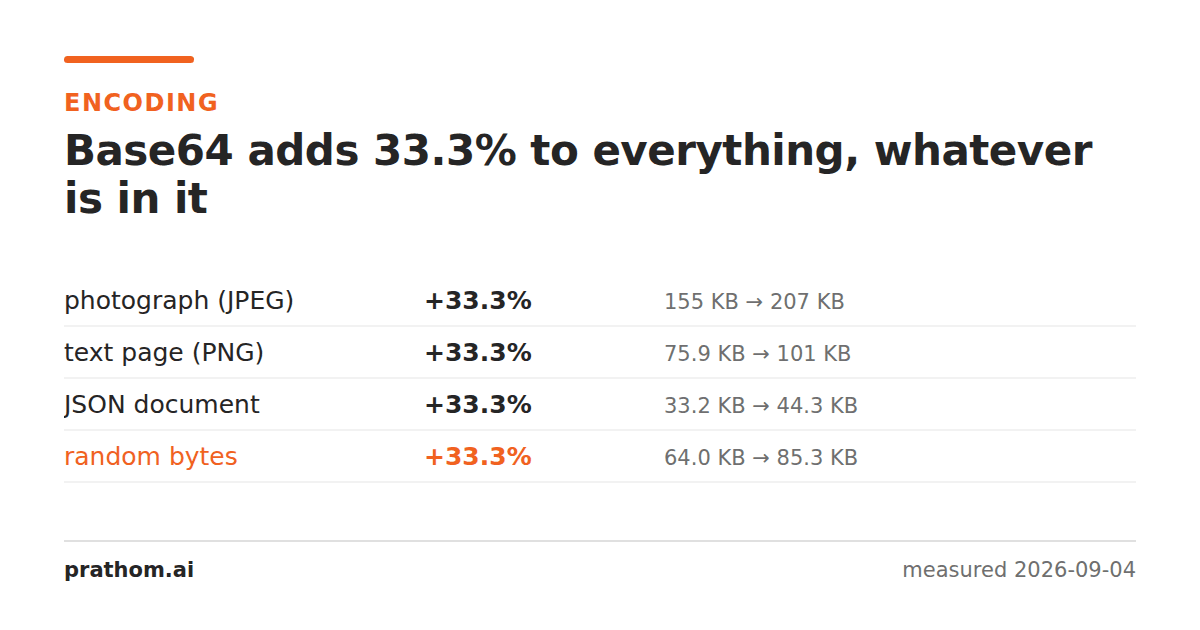
Four very different payloads, base64-encoded:
| payload | raw | base64 | overhead |
|---|---|---|---|
| photograph (JPEG) | 158,774 B | 211,700 B | +33.3% |
| text page (PNG) | 77,673 B | 103,564 B | +33.3% |
| JSON document | 34,010 B | 45,348 B | +33.3% |
| random bytes | 65,536 B | 87,384 B | +33.3% |
The same number four times. A compressed photograph, a lossless image, a structured text document and pure noise all cost precisely a third extra.
Why it is exact
Base64 takes three bytes and writes them as four characters. That is the whole algorithm: 24 bits in, four six-bit groups out, each group printed as one of sixty-four safe characters.
Four over three is 1.333…, so the output is 33.3% larger. Always. The encoder never looks at what the bytes mean, never finds a pattern, and never has a good case or a bad case — it is a change of alphabet, not a compression step.
The small variation you might expect from padding does not show up either: the
=characters at the end round the output up to a multiple of four, which is at
most two extra bytes on a file of any size.
Where the third actually costs you
Data URIs. An image inlined into HTML or CSS as data:image/png;base64,…is
a third bigger than the file it replaces. That can still be the right trade — one
fewer request, and no round trip — but it is a trade rather than a free win, and
it stops being worth it as the image grows.
JSON APIs carrying files. JSON has no binary type, so a file attached to a JSON request is base64. A 3 MB upload becomes 4 MB on the wire.
Email attachments. Every attachment you have ever sent went out base64. Mail was specified for text, and this is how binary gets through it.
Copy-pasting a file. The reason base64 exists at all: it survives being pasted through a chat window, a form field or a terminal, which raw bytes do not. That is what the third buys.
What it does not cost you
If the encoded data is going to be compressed — and over HTTP it usually is — most of the overhead comes back. On an already-compressed payload like a JPEG, essentially all of it does. We measured that separately: what gzip gives back is between all of it and none of it, and which one you get depends on the payload.
The other thing worth knowing before you reach for base64 is that it is the cheap text encoding. Hex — two characters per byte — is the one that doubles the file, and it turns up more often than people expect.
Check it yourself
base64 -w0 anything.jpg | wc -c
ls -l anything.jpg
Divide one by the other and you will get 1.333 for any input you try. It is worth doing once on a file of your own, because the constancy is the surprising part and a table cannot really convey it.
The line breaks that are sometimes there
base64without -w0wraps the output at 76 characters, which is what email
requires and what MIME specified in 1996. Those newlines are extra bytes on top
of the third — about 1.3% more — and they are the reason two base64 encodings of
the same file can differ in length.
It matters when a value is being compared or hashed. A base64 string with line breaks and the same string without them decode to identical bytes and are not equal as strings, which produces a class of bug where a checksum fails and the data is fine.
If you are generating base64 for anything other than an email, -w0is what you
want.
The practical version
Use base64 encode/decodewhen data has to travel through something that only accepts text, and budget a third. Do not use it to make anything smaller; it is not that kind of tool.
For images specifically, image to base64produces the data URI directly. And if what you actually need is to make a URL safe rather than to carry binary, that is a different encoding — URL encode/decode— and it costs far less, because it only touches the characters that need it.
Worth remembering as a rule of thumb: if something has to fit in a size limit and it is going to be base64-encoded, the real budget is three quarters of the stated one. A four-megabyte upload limit on a JSON API is a three-megabyte file, and discovering that after building the upload flow is a common and entirely avoidable surprise.