The Same Table Was Three Times Bigger as JSON
CSV writes each column name once, at the top. JSON writes it again on every single row. On a table of any size that is not a subtlety — it is the dominant term, and it explains both why the conversion inflates and why it barely matters over the wire.
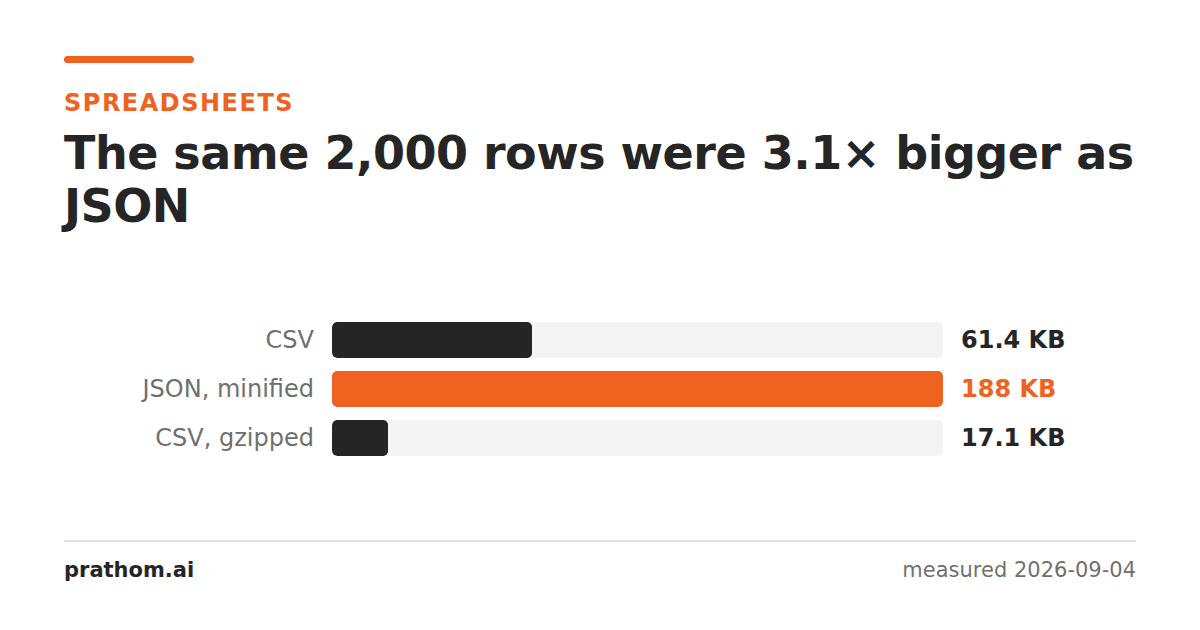
A 2,000-row, six-column table:
| format | size |
|---|---|
| CSV | 62,904 B |
| JSON, minified | 192,459 B |
| CSV, gzipped | 17,556 B |
Three times bigger, and the JSON is already minified — no indentation, no spare whitespace.
Where the extra two-thirds goes
A CSV header says id,name,category,quantity,unit_price,in_stockonce, and then
every row is just values.
The JSON equivalent of one row is:
{"id":7,"name":"Item 7","category":"ink","quantity":8,"unit_price":0.70,"in_stock":"no"}
Every key is spelled out again. So are the braces, the quotes around every string key, and the colons. On this table the column names alone are 52 characters, and they appear 2,000 times: over a hundred thousand bytes of repeated field names in a 192-kilobyte file.
That is why the ratio is roughly stable regardless of how much data you have — the overhead scales with the rows, exactly like the content does.
Why it usually does not matter
Over HTTP the payload is compressed, and repeated field names are the single most
compressible pattern a document can contain. A compressor replaces the second and
subsequent copies of "category":with a short reference to the first.
So the three-times figure is a fact about the file on disk and mostly not a fact about the transfer. If you are choosing a response format for an API, this is not the argument to choose on. The same effect explains why minifying JSON saves almost nothing once gzip is on— both are aimed at redundancy the compressor was going to remove anyway.
Where it does matter is uncompressed storage: a JSON file on disk, a blob in a database column, a payload in a queue, or anything held in memory. There the three times is real.
When to convert anyway
JSON's win is that it carries types and structure, and CSV carries neither.
In a CSV, 007243, 0.70and 2026-09-04are all just text, and what they
become depends on whatever reads the file next — which is how a leading zero
disappears or a date turns into a number. JSON says "007243"is a string and
0.7is a number, and there is no guessing.
It also nests. A row with a list of tags is natural in JSON and awkward in CSV, where the usual answer is a second delimiter inside a field and a new class of parsing bug.
So: convert to JSON when something is going to consume it programmatically and the types matter. Stay with CSV when it is a table that a person or a spreadsheet will open, and when the size on disk is the constraint.
Check the ratio for your own table
wc -c data.csv
python3 -c "import csv,json,sys; print(len(json.dumps(list(csv.DictReader(open('data.csv'))))))"
The multiple depends almost entirely on how long your column names are relative
to your values. A table of long descriptive text in short-named columns will
barely grow; a table of small integers in columns called
customer_account_referencewill grow enormously.
That is worth knowing before choosing, because the three times measured here is a property of this table rather than of the conversion.
The shape that avoids the repetition
If the payload is going to a program and the size genuinely matters, there is a middle form: an array of arrays plus a separate header row.
{"columns":["id","name","qty"],"rows":[[1,"Item 1",4],[2,"Item 2",7]]}
That is JSON, it carries types, and it writes each column name once — so it lands close to the CSV rather than three times it. It is less pleasant to read and every consumer has to know the column order, which is exactly the trade CSV makes. Worth knowing it exists; usually not worth reaching for.
The practical version
CSV to JSONdoes the conversion and infers the types. JSON to CSVflattens it back when the destination is a spreadsheet. If the JSON is going to be read by a person rather than a program, JSON formatterwill indent it — and after this measurement it is worth knowing that costs about a third again on disk, and nothing once it is compressed.
One practical consequence for anyone building an export feature: offer both. CSV for the spreadsheet users, JSON for the people wiring it into something. They are answers to different questions, and the size difference measured here is a poor reason to force everyone onto one of them.