Half the Width and a Third of the Frames Took 60% Off the GIF
There are exactly three things that make a GIF smaller, and two of them are visible to the viewer. Knowing which one to spend first — and how much each is actually worth — saves a lot of guessing at a file that will not fit.
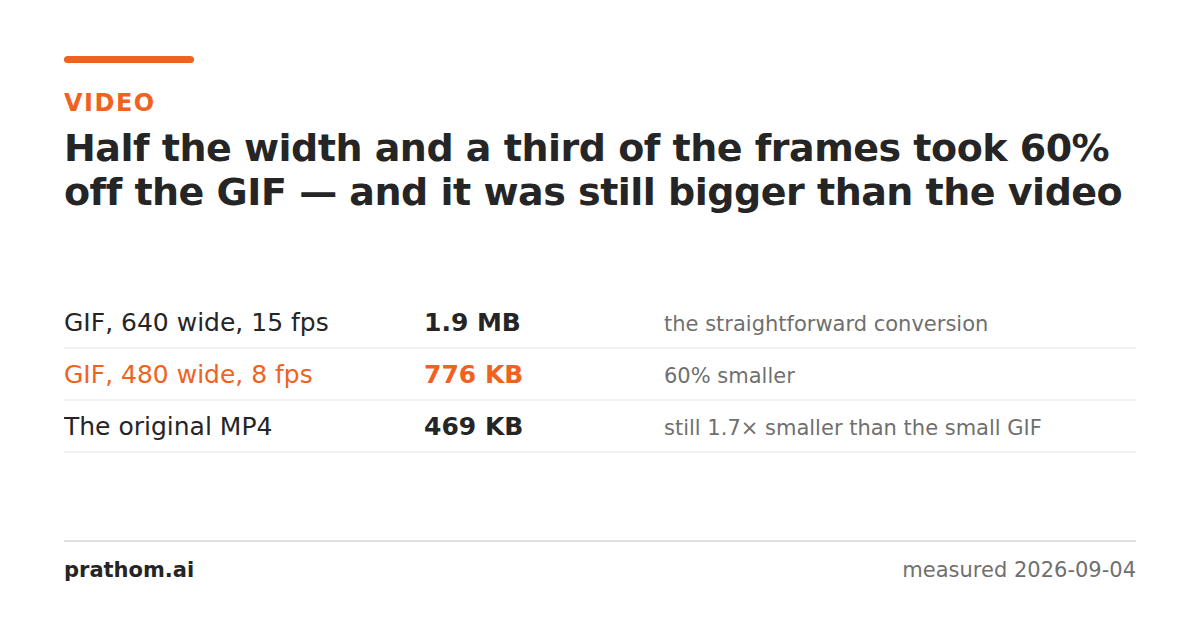
The same five-second clip, converted twice:
| size | |
|---|---|
| GIF, 640 wide, 15 fps | 1,966,011 B |
| GIF, 480 wide, 8 fps | 795,037 B |
| the MP4 it came from | 480,313 B |
Sixty per cent off. And still 1.7 times the video.
The three levers, in the order worth spending them
1. Frame rate. A GIF pays close to full price per frame, so halving the frame rate takes close to half the size. It is the cheapest saving in perceptual terms too: 15 frames a second reads as smooth for a screen recording, and 10 is acceptable for most things that are not fast motion. Going below about 8 starts to look like a slideshow.
2. Dimensions. Halving the width quarters the pixel count, and the size follows roughly. This is the biggest lever available, and the most visible — a screen recording at half width may be unreadable if there is text in it, which is usually exactly what a screen recording is for.
3. Colors. A GIF holds up to 256 per frame; using fewer makes the LZW compression more effective. This is the one people reach for last and it is often the best trade for graphics, because a UI recording may genuinely only contain thirty colors. On footage it is the first thing to look terrible.
Cutting the length is the fourth, unlisted lever, and it is usually the right one. Most oversized GIFs are three seconds of the thing anyone wanted with eleven seconds of preamble.
The one that does not work
Running a GIF through an image compressor does very little, because the frames are already LZW-compressed and LZW is not leaving much on the table. There is no quality dial to turn down the way there is on a JPEG — the format is lossless per frame, so the only way to make a frame cheaper is to give it fewer pixels or fewer colors, which is levers 2 and 3.
This is why "compress GIF" tools mostly do what is described above, whatever they call it. The savings come from throwing away frames, pixels or colors. Nothing else is available.
The alternative worth considering
If the destination will accept it, animated WebP is the same idea done properly: it has inter-frame prediction and full color, so it lands far below a GIF for the same content. Support is broad now — every current browser — and the fallback story is that it does not autoplay in a few older email clients.
That is the real decision. GIF is not competing on size and never was; it is competing on the fact that it plays absolutely everywhere. If the place it is going will run a WebP or a video, the size difference is not marginal.
Check the size before you commit to it
The conversion takes seconds, so the fastest way to choose settings is to make three and look at them:
for fps in 15 10 8; do
  ffmpeg -y -i clip.mp4 -vf "fps=$fps,scale=480:-1:flags=lanczos,palettegen" p.png
  ffmpeg -y -i clip.mp4 -i p.png -lavfi "fps=$fps,scale=480:-1[x];[x][1:v]paletteuse" out-$fps.gif
done
ls -l out-*.gif
Frame rate and width are both in that command, and changing either is one character. Guessing is slower than measuring.
The lever nobody counts
Trim the clip. Most oversized GIFs are a three-second moment with ten seconds of setup around it, and a GIF costs almost exactly per frame — so cutting the length in half halves the file, with no loss of quality at all in the part anyone watches.
It is the only lever on this page that costs nothing visually, and it is the one people reach for last, after they have already degraded the picture to save less.
The practical version
Decide the width and the frame rate before converting rather than trimming afterwards — MP4 to GIFtakes both, and re-encoding a GIF you already made loses another round of color fidelity for nothing.
If the target accepts it, GIF to WebPwill usually take a large bite out of a GIF you already have, with no visible change. And if the file is a still image that only happens to be a GIF, image compressis the right tool after all — that case is not an animation problem.