One Page Out of Eight Was a Quarter of the File
Splitting a document feels like slicing a loaf: take an eighth, get an eighth. PDFs do not divide that way. A single page pulled out of an eight-page file was a quarter of it, and the gap between what you expect and what you get is the most useful thing a PDF will teach you about its own structure.
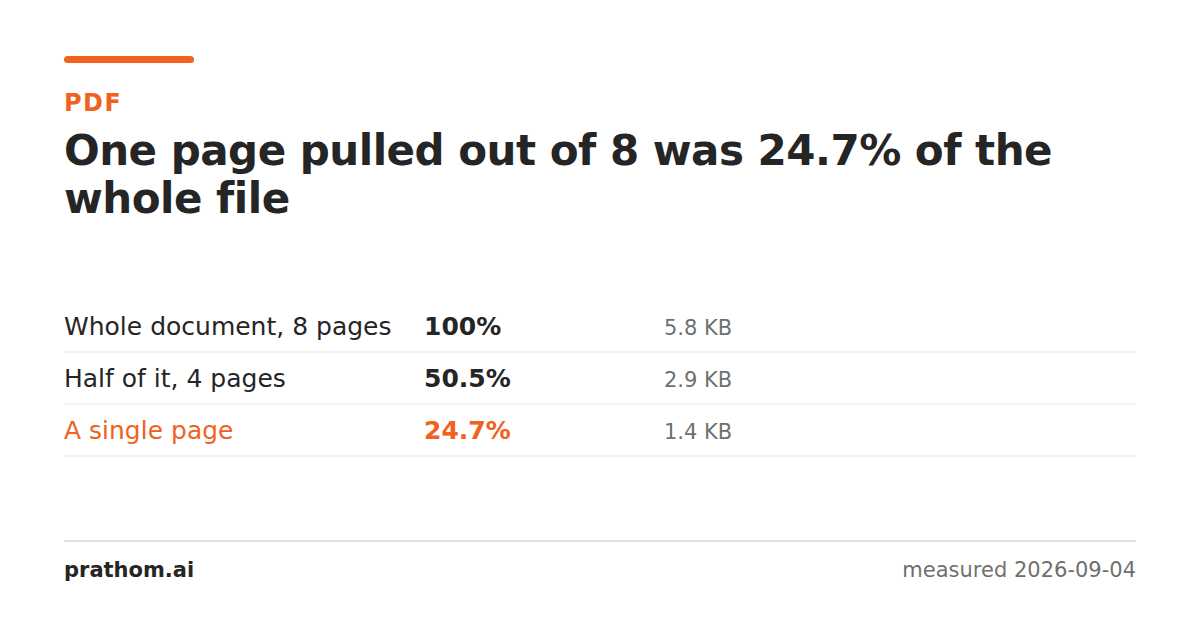
An eight-page PDF of 5,971 bytes, cut two ways:
| what was taken | expected share | actual size | actual share |
|---|---|---|---|
| the whole document | 100% | 5,971 B | 100% |
| four pages | 50% | 3,018 B | 50.5% |
| one page | 12.5% | 1,475 B | 24.7% |
Half behaves almost exactly as expected. One page is twice what arithmetic predicts.
The fixed cost every extract has to pay
A PDF that sets text needs a font, and the font is stored inside the document as a subset of a typeface — the glyph outlines for the characters actually used. That object is stored once and pointed at by every page.
Take one page out and the new file still needs it. The pages you left behind were sharing that cost with the page you took; now it carries the whole thing alone.
So every extract is a fixed cost plus a per-page cost, and the fewer pages you take, the more the fixed part dominates. At four pages the fixed cost is spread widely enough to disappear into rounding. At one page it is most of the file.
The same fact, from the other side
If shared objects are stored once, then combining documents should cost less than the sum — and it does. Three copies of this document merged into 44.6% of their combined size, which we measured here.
Splitting and merging are not two behaviors. They are one structural fact — shared objects are stored once — met from opposite directions.
Where this actually bites
Emailing one page of a report. You extract the page expecting something tiny, and get a file that is not obviously smaller than sending the lot. On a text document that is a curiosity. On a document with a logo on every page, the logo is an image object shared by all of them, and the single page brings it along.
Splitting into per-page files. Split an eight-page document into eight files and the total is far more than the original, because the shared parts get copied eight times. That is the merge result running in reverse, and it is worth knowing before you split a two-hundred-page document into two hundred files.
Deleting pages to shrink a file. Removing half the pages here gave roughly half the size, which is the good case. Remove two pages from a scanned document and you will save almost exactly the size of those two scans, because there is nothing shared to keep. Remove two pages from a text document and you may save very little.
Check it on your own files
qpdf --empty --pages report.pdf 1 -- one-page.pdf
ls -l report.pdf one-page.pdf
Divide the second number by the first and compare it against one over the page count. On a text document you will get something well above the fraction; on a scanned one you will get something close to it.
That comparison is a quick way to find out what kind of PDF you are holding without opening it. A single page that is a large share of the whole is a document whose weight is in shared objects — fonts, logos, an embedded color profile. A single page that is close to its fair share is a document made of independent page images, which almost always means a scan.
One more place it shows up
Email attachment limits. People split a large PDF to get under a limit and find that the halves are 50% and 52%, or that four quarters add up to more than the original. Neither is a bug. If the goal is a smaller file rather than fewer pages, the split is the wrong operation entirely.
The practical version
If your goal is a specific page, split and take it — the size is what it is, and it is small in absolute terms. If your goal is a smaller file, splitting is the wrong tool: the fixed cost follows every piece. Compress instead.
Split PDFcuts a document into parts. Extract PDF pagespulls a chosen range into one new file, and delete PDF pagesremoves what you do not want and keeps the rest — which, for the emailing case, is usually the one you actually meant.