Three PDFs Merged Into Less Than Half Their Combined Size
People expect a merged PDF to weigh what its inputs weighed, and are surprised when it does not. Joining three copies of an eight-page document produced a file well under half the combined size, and the reason explains something useful about what is actually inside a PDF.
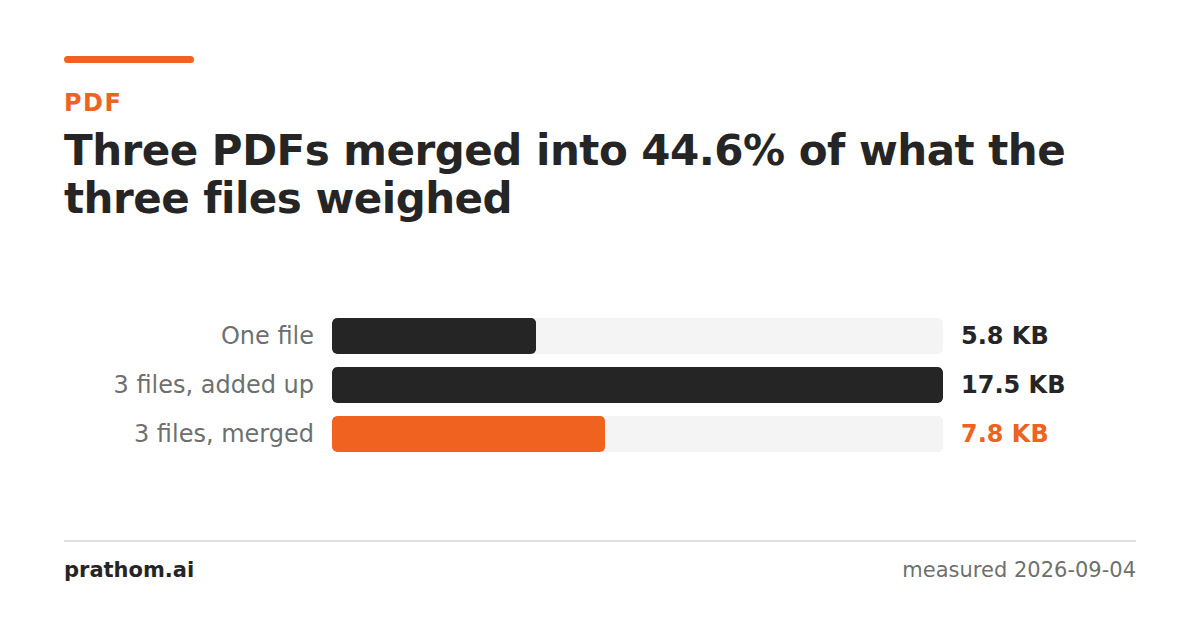
An eight-page PDF, 5,971 bytes. Three of them merged into one file:
| size | |
|---|---|
| one file | 5,971 B |
| three files, added up | 17,913 B |
| the three merged into one | 7,991 B |
That is 44.6% of what the three files weighed separately — and the merged document has all twenty-four pages.
What a PDF is actually storing
A PDF is a collection of numbered objects with a table at the end saying where each one starts. Pages are objects. So are fonts, color spaces, and the descriptions of how the document is structured.
The pages are the part everyone thinks about, and in a text document they are the cheap part. The expensive part is usually the embedded font: a subset of a typeface, stored once and referenced by every page that sets a character in it.
When three files are merged, the pages all have to come along — there are genuinely three times as many. The fonts do not. The merger notices that the same font object appears in all three inputs and keeps one copy. Everything that was duplicated across the inputs collapses to a single instance, and the total lands below the sum.
Why this is the interesting direction
The surprising result is not that merging saves space. It is what it tells you about a single file: most of a small PDF is not its pages.
That has a practical consequence people meet from the other side. Pull one page out of a document and you might expect a file one-eighth the size. You do not get one, because the extracted page still needs the font it sets its characters in, and that font is most of what you were carrying. We measured that separately: one page out of eight was a quarter of the whole file.
The two results are the same fact seen from either end. Shared objects are stored once, so combining is cheaper than you expect and splitting is dearer.
When merging does not save anything
This corpus is deliberately favorable: three copies of the same document, so everything that can be shared is shared. Merge three unrelated documents that use different fonts and there is nothing to collapse — the result will land close to the sum.
Scanned documents behave differently again. There, each page is a full image and the pages genuinely are the file, so a merge is almost exactly additive. If your inputs are scans and you want the result smaller, merging is not the lever; the PDF compressoris, and what each of its presets removes is measured here.
Check it on your own files
The whole measurement is two commands, and running them on documents you actually have is more convincing than any table:
qpdf --empty --pages a.pdf b.pdf c.pdf -- merged.pdf
ls -l a.pdf b.pdf c.pdf merged.pdf
Compare the merged size against the sum of the three. Documents from the same template — invoices, reports, letters from one system — will collapse the most, because they share fonts and often images. Documents from unrelated sources will land close to additive.
If you want to see WHY, qpdf --show-object=trailer --json merged.pdflists the
objects in the result. On a merge of similar files you will find one font object
where you expected three, and that single line is the whole explanation for the
table at the top of this page.
The practical version
Merge when the documents belong together, and do not budget for the sum — you will usually get less. If you are merging to hit a size limit, measure the result rather than predicting it, because the saving depends entirely on how much the inputs have in common.
Merge PDFjoins them in the order you give. If the order is the problem rather than the joining, organize PDF pagesmoves pages around inside one file, and split PDFgoes the other way.
The last thing worth saying is what merging does to the text layer: nothing. The pages arrive with their fonts and their extractable words intact, so a merged document is as searchable as its inputs were. That is not true of every operation you might reach for to combine things — printing several documents to a single PDF re-renders them, and everything the pages knew about their own text is lost on the way.