How to Remove Duplicate Lines From a List
Deduplicating a list sounds like one operation with one right answer. It is actually four decisions, and getting any of them wrong either leaves duplicates behind or silently deletes rows you needed. The decisions are more interesting than the operation.
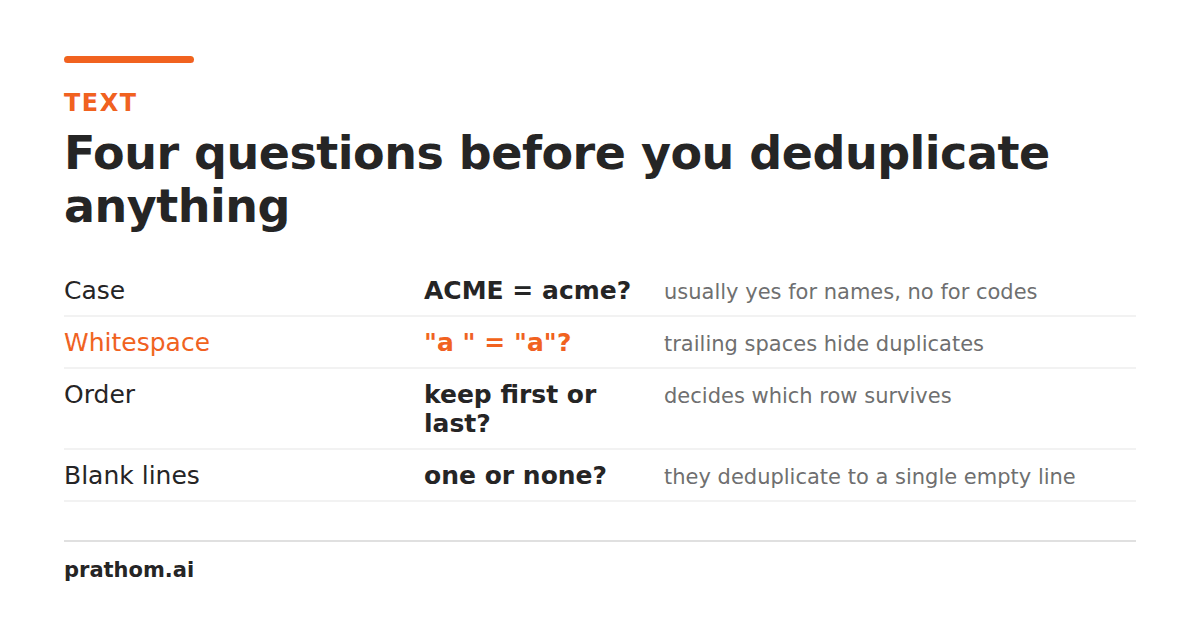
Before removing duplicates from anything, four questions decide what a duplicate is. Most tools answer them silently, which is why deduplicating a list twice in two places gives two different answers.
1. Does capitalisation matter?
[email protected]and [email protected]are the same mailbox — the domain part
of an email address is case-insensitive by specification, and no real mail provider
treats the local part as case-sensitive either. For an email list, case-insensitive
is correct.
Now the same question for a keyword list. best running shoesand Best Running Shoes might be two rows from two different sources describing one keyword, or they
might be a keyword and a page title that happen to match. Only you know.
And for identifiers, case-insensitive matching is actively wrong. AB12cdand
ab12CDcan be two different SKUs, and merging them loses a row you needed.
2. Does surrounding whitespace matter?
parisand parisalmost never differ meaningfully. Trailing spaces from a
copy-paste, leading indentation from a code block, a stray tab from a spreadsheet
export — none of it is information.
Trimming before comparing is right nearly always. The exception is genuinely indentation-sensitive text, where the leading whitespace is the content: YAML, Python snippets, anything where two lines with different indentation are two different lines.
3. What about blank lines?
A run of empty lines usually just marks where sections were, and deduplicating them into one blank line is a change to the formatting rather than to the data. Most of the time you want them dropped entirely, so they do not become one mystery empty row in the middle of your output.
4. Should the order survive?
This is the one people notice too late. Many tools sort as a side effect of deduplicating, because sorting groups identical lines next to each other and makes duplicates trivial to spot. That is an efficient implementation and a destructive default.
If your list is in priority order, chronological order, or matched row-for-row against another list, sorting it has broken it. Preserving first-seen order costs nothing on any realistic list size, so a tool sorting your output is a choice, not a necessity.
Our remove duplicate linestool preserves the original order by default, and offers sorting as something you turn on rather than something that happens to you. Use sort text lineswhen sorting is what you actually wanted.
The question people miss: which duplicates were there?
Sometimes the duplicates are the interesting part. "Which email addresses appear twice in this export?" is a different question from "give me each address once", and it is the one you need when investigating why a mailing went out twice.
That is an inverted deduplicate: instead of returning each line once, return only the lines that appeared more than once. Our tool has this as an invert option, and it is worth knowing about because the alternative is a spreadsheet formula most people have to look up.
When it does not work at all
You deduplicate a list, the count barely drops, and lines you can see are identical survive. Two usual causes.
Invisible characters. A non-breaking space or a zero-width space inside one copy of a line makes it genuinely different from the other, and your eyes cannot see the difference. Run the text through the whitespace removerfirst — it converts space-like characters to ordinary spaces and removes zero-width ones, which is exactly what is needed before comparing. We wrote about the invisible characters that cause this in more detail.
Line endings. A file assembled from a Windows source and a Unix source contains
both \r\nand \n. Any tool splitting only on \nleaves a trailing carriage
return on half the lines, which makes them all unique. A tool handling this correctly
normalizes all three conventions — \r\n, \r, and \n— before comparing.
Doing it in other tools
Excel and Google Sheets: Data → Remove duplicates. It is case-insensitive, it does not trim, and it reorders nothing. Watch for the header-row checkbox.
Command line: sort -u file.txtis the common answer and it sorts, which you may
not want. awk '!seen[$0]++' file.txtpreserves order, is case-sensitive, and does
not trim.
Python: list(dict.fromkeys(lines))preserves insertion order and is the
idiomatic version. set(lines)does not preserve order, and using it is the single
most common way order gets lost by accident.
None of these prompt you about the four questions above. That is fine when you have already decided; the failure mode is deciding by accident.
The short version
Decide on case, whitespace, blanks, and order before you deduplicate, not after. If identical-looking lines survive, suspect invisible characters or mixed line endings — in that order.