The Soundtrack Was a Sixth of the File the Video Came In
A lecture, an interview, a podcast recorded on camera — plenty of video is kept for its sound. The picture is almost all of the file, and dropping it is the single largest saving available on any video you only listen to.
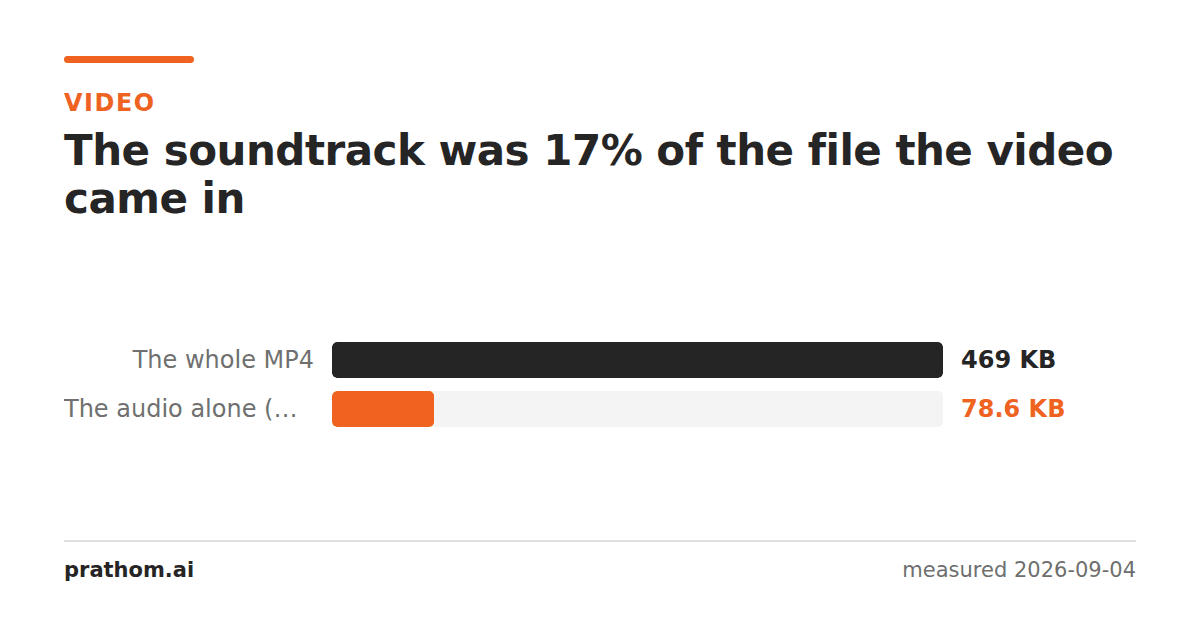
A five-second clip, and the audio pulled out of it:
| size | |
|---|---|
| the whole MP4 | 480,313 B |
| the audio alone, AAC at 128 kbps | 80,468 B |
The sound is 17% of the file. The other 83% is picture.
Why the ratio is so lopsided
Audio at 128 kbps costs 16 kilobytes a second, and that number does not change with how interesting the sound is — it is a bitrate, fixed in advance.
Video has no such ceiling. A 640×360 frame is 230,400 pixels, twenty-five times a second, and even after a codec has thrown away everything it can predict, what is left dwarfs the audio. Raise the resolution and the gap widens fast: at 1080p the picture is nine times as many pixels while the soundtrack is unchanged.
So on any recording where the point is the sound, the video track is not a component of the file size. It is essentially all of it.
Where this is worth acting on
Lectures, talks and interviews. A one-hour talk as 1080p video might be a gigabyte; as audio it is around sixty megabytes, and you were going to listen to it while walking anyway.
Anything you want to transcribe. Speech-to-text works on the audio. Sending the video means uploading the picture for no reason, which on a slow connection is most of the wait.
Archiving a call recording. Meeting recordings are mostly a static grid of faces. Keeping the audio and discarding the video preserves nearly everything anyone will ever go back for.
Getting one piece of music out of a video. The obvious case, and the one the tools get used for most.
Which output format to pick
MP3 if it needs to play anywhere at all. Universally supported, and at the bitrates people use for speech the format's age does not matter.
M4A/AAC if the source was already AAC — which it is, in almost every MP4. Extracting to M4A can copy the audio stream across untouched, with no re-encoding and no second generation of loss. Extracting to MP3 has to decode and re-encode.
WAV only if something downstream demands uncompressed audio, such as an audio editor or certain transcription pipelines. It is much larger: what each format and bitrate actually costs is measured here.
Check the ratio on your own file
ffprobe -v error -select_streams a -show_entries stream=bit_rate -of csv=p=0 video.mp4
ffprobe -v error -select_streams v -show_entries stream=bit_rate -of csv=p=0 video.mp4
Those two numbers are the whole answer. Divide the audio bitrate by their sum and you have the fraction of the file you would keep — before extracting anything.
On a screen recording the video bitrate is often surprisingly low, because a static UI compresses to almost nothing, and the ratio moves toward the audio. On 1080p camera footage the video is overwhelmingly dominant and the extraction saves more than the 83% measured here.
Extract without re-encoding, where you can
ffmpeg -i video.mp4 -vn -acodec copy audio.m4a
-acodec copytakes the audio stream out untouched — no decode, no re-encode, no
second generation of loss, and it finishes almost instantly regardless of the
file size. It only works when the destination format accepts the codec that is
already there, which for an MP4's AAC audio means .m4a.
Converting to MP3 cannot use it, because the audio has to be decoded from AAC and re-encoded. That is a real quality cost on a file that was already lossy, and it is the reason to prefer M4A when nothing downstream insists on MP3.
The practical version
MP4 to MP3is the common path and MOV to MP3covers phone recordings. MP4 to WAVis there for the uncompressed case.
One thing to decide before you convert: whether you will ever want the picture again. Extraction is not reversible, and the video you are discarding is 83% of a file you may not have another copy of.
Finally, a note on what the ratio does as the recording gets longer. Both tracks scale with duration, so the proportion holds — an hour of video is still roughly five sixths picture. What changes is the absolute saving, and on a long recording it is the difference between a file you can email and one you cannot. That is usually the reason somebody is looking for this in the first place.