What Each MP3 Bitrate Actually Costs, in Bytes
Audio bitrate is one of the few compression settings where the size is completely predictable — unlike image quality settings, where the same number produces wildly different files depending on the picture. Here is the same recording at six bitrates plus lossless, and what the predictability means for choosing one.
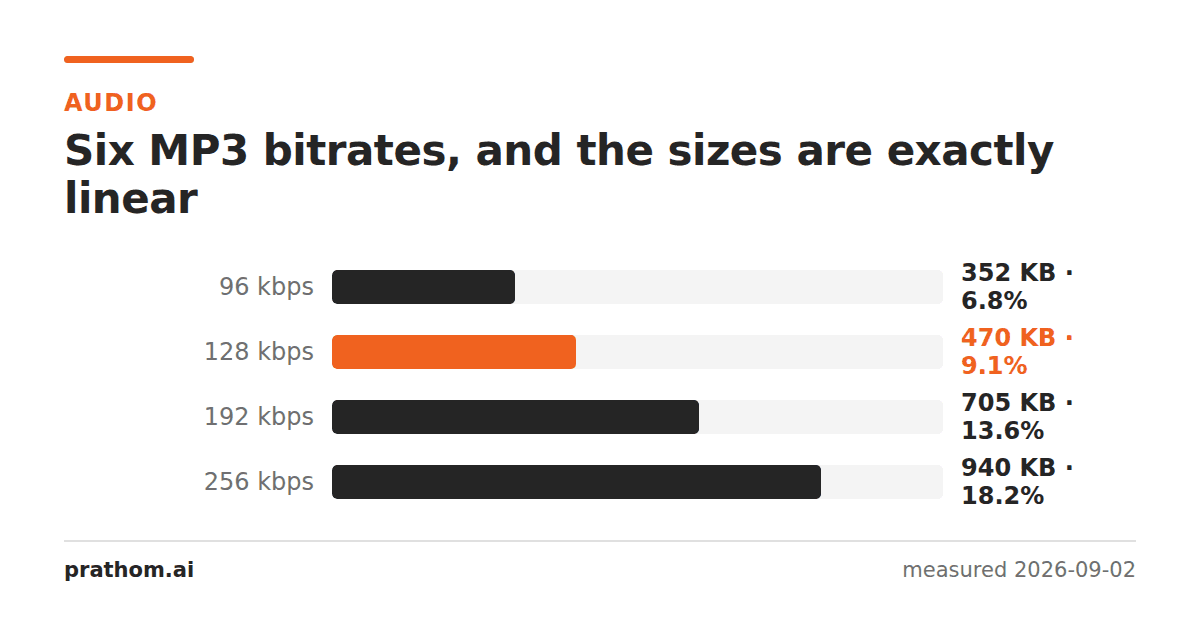
Thirty seconds of stereo audio at 44.1 kHz, encoded at six bitrates:
| format | bitrate | size | % of uncompressed |
|---|---|---|---|
| WAV | — | 5,292,078 B | 100% |
| FLAC | — | 2,123,857 B | 40.1% |
| MP3 | 320 kbps | 1,202,720 B | 22.7% |
| MP3 | 256 kbps | 962,185 B | 18.2% |
| MP3 | 192 kbps | 721,649 B | 13.6% |
| MP3 | 128 kbps | 481,114 B | 9.1% |
| MP3 | 96 kbps | 360,847 B | 6.8% |
| MP3 | 64 kbps | 240,578 B | 4.5% |
The sizes are exactly linear, and that is the point
Look at the MP3 rows: 64 kbps is 240,578 bytes, 128 is 481,114, 256 is 962,185. Doubling the bitrate doubles the file, to within a rounding error, every time.
This is different from every image setting. JPEG quality 80 on a photograph and JPEG quality 80 on a screenshot produce wildly different sizes, because the encoder spends whatever bits the content demands. A constant-bitrate MP3 spends exactly the bits you specified, whatever the content — 128 kbps means 128 kilobits every second, whether the second contains a symphony or silence.
That makes the arithmetic trivial. Bitrate in kbps, divided by 8, gives kilobytes per second. 128 kbps is 16 KB per second, which is roughly 1 MB per minute, which is the rule of thumb worth remembering.
It also means the setting behaves differently from the image case: you are not asking for a quality and getting whatever size results, you are allocating a budget and getting whatever quality fits in it. A quiet passage gets the same bits as a dense one and wastes them; a complex passage gets the same bits and struggles.
Which is what variable bitrate fixes
Variable bitrate encoding lets the encoder spend more on hard passages and less on easy ones, targeting an average. It generally produces better audio for the same average size, and it is the default in most encoders now for that reason.
The cost is that the size is no longer predictable in advance, and that some very old hardware players handle VBR badly — usually by displaying the wrong track length, because they estimate duration from the first frame's bitrate.
If you are choosing today and the file is for software playback, VBR at a quality target is the better setting. Constant bitrate remains useful when you need a predictable file size, which is mostly broadcast and streaming contexts.
FLAC at 40% is the number that surprises people
FLAC is lossless — it decodes to bit-identical audio — and it did that in 40% of the uncompressed size. That is a much better ratio than lossless image compression typically achieves, and it makes lossless audio genuinely practical for storage in a way that lossless video is not.
Note that 40% is a pessimistic figure here: the test signal was a tone mixed with noise, and noise is the worst case for any compressor. Real music, which has structure and correlation between channels, typically compresses to 50–60% — and quiet or sparse recordings do considerably better.
The comparison worth drawing is FLAC at 2,123,857 bytes against MP3 320 at 1,202,720. Lossless costs about 1.8 times the highest common lossy setting. For an archive, that is a small premium for never having to make this decision again.
Choosing a bitrate
Archival, or anything you will re-encode later: FLAC. Every lossy re-encode compounds, so the master should be lossless. Storage is cheap enough that this is rarely the constraint people assume.
Music for general listening: 192–256 kbps VBR. Most listeners on most equipment cannot reliably distinguish this from lossless. Above 256 the returns are very small and the file grows linearly.
Speech, podcasts, audiobooks: 64–96 kbps, and consider mono. Speech occupies a narrow frequency range and rarely needs stereo. Halving to mono halves the file again, and for a single voice it costs nothing audible.
Anything below 64 kbps is for constrained situations only. Music at 64 has audible artifacts on cymbals and applause — the classic "underwater" sound of early internet audio.
Checking your own material
ffmpeg -i input.wav -b:a 128k out-128.mp3
ffmpeg -i input.wav out.flac
ls -l input.wav out-128.mp3 out.flac
For a listening test rather than a size test, encode the same passage at two bitrates and compare them on the equipment you actually use. The threshold at which people stop hearing a difference depends far more on the playback chain than on the encoder, and a difference that is obvious on studio monitors can be inaudible on phone speakers.