Choose an Image Format by Content, Not by What the File Is For
Advice about image formats is usually organized by purpose — logos, photos, screenshots, icons. That works until you meet a logo that is a photograph or a screenshot of a video. A better question predicts the right answer in every case we measured, and it takes about two seconds to ask.
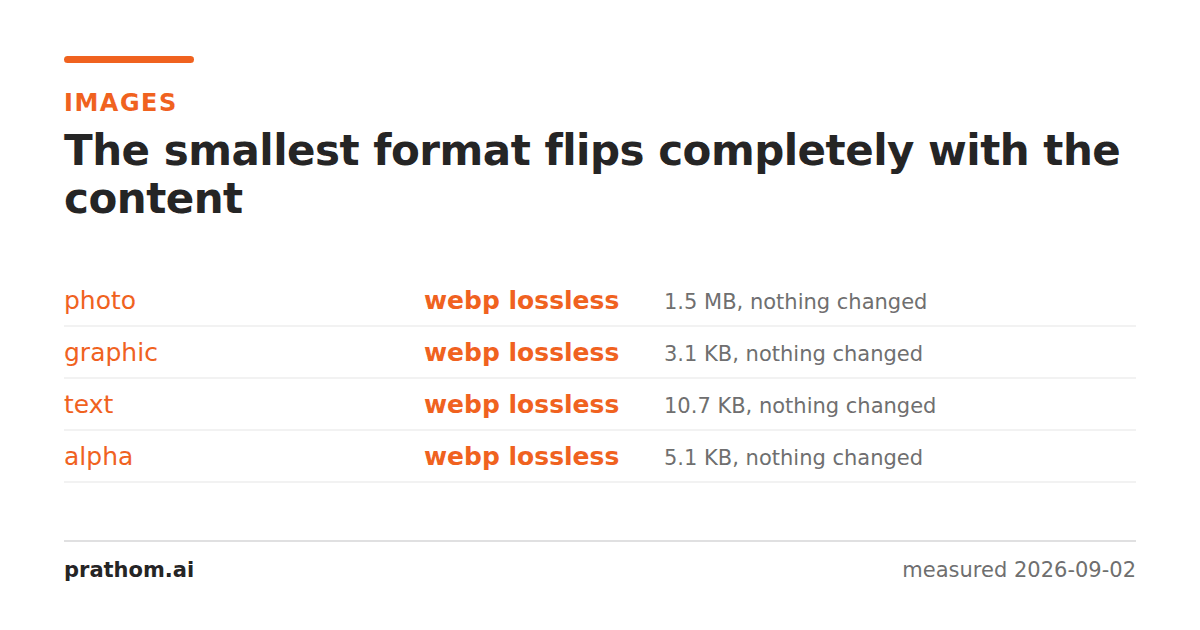
Four 1600×1200 images through the same set of formats. The winner is different in every column.
| format | photograph | flat graphic | text page | transparency |
|---|---|---|---|---|
| PNG (level 9) | 1,890,257 | 7,005 | 75,072 | 9,416 |
| WebP lossless | 1,549,728 | 3,170 | 10,984 | 5,242 |
| WebP lossy q80 | 76,126 | 7,788 | 146,742 | 11,686 |
| JPEG q80 | 158,774 | 22,502 | 247,092 | 22,438 |
| GIF | 671,100 | 9,136 | 133,436 | 10,445 |
| TIFF (deflate) | 2,224,546 | 10,722 | 86,360 | 23,378 |
| BMP | 5,760,138 | 23,654 | 356,172 | 7,680,138 |
JPEG is the second-best option on the photograph and the worst reasonable option on everything else. WebP lossless wins three of the four columns outright. The photograph is the only column where a lossy format belongs at all.
The question that predicts it
Zoom into a random 8×8 patch of your image. Is it usually a smooth gradient, or does it usually contain a hard edge or a flat fill?
Mostly gradient — a photograph, a rendering, a texture. Lossy compression works, because there is high-frequency detail to discard that nobody will miss. Use lossy WebP, or JPEG where compatibility demands it.
Mostly edges and flat fills — a screenshot, a chart, a logo, a diagram, a page of text. Lossy compression costs you both quality and size, because the edges are the content. Use lossless WebP, or PNG for compatibility.
That question gets it right for every column in the table, including the cases where the file's purpose would mislead you: a photographic logo is a photograph, a screenshot of a photograph is a photograph, and a "photo" that is actually a scan of a text document is a text page.
Then apply the constraints
Content picks the family. Three constraints pick the specific format within it.
Where is it going? WebP is supported by every current browser and is patchy outside them — email clients, older desktop software, print workflows. If the file leaves your control, PNG or JPEG is the safer object even when it is larger.
Does it need transparency? JPEG has none. GIF has one bit, which visibly damages soft edges. PNG and WebP have proper alpha.
Is it more than 8 bits per channel? PNG and TIFF carry 16-bit. WebP, JPEG and GIF do not, and will silently quantize it.
A short decision list
- Photograph for the web: lossy WebP at quality 75–85, JPEG at the same quality as a fallback.
- Screenshot, chart, diagram, logo: lossless WebP, PNG as a fallback.
- Anything with transparency: PNG or WebP. Never JPEG, and GIF only if forced.
- Anything above 8 bits, or an archival master: PNG or TIFF, at the source's own bit depth.
- Animation that must play anywhere: GIF, accepting the cost. Otherwise a video.
- Never BMP for anything that leaves the machine.
The mixed case
Real images are often both — a product photograph with a text overlay, a slide with a chart and a photograph on it. The rule is to follow the majority of the area, because that is what dominates the file size, and then check the result at full size on the part you care about.
If the text overlay looks bad as a lossy photograph, the answer is usually not a different format for the whole image. It is to keep the photograph lossy and render the text separately — as real text on the page, or as a small lossless overlay. That is more work and it produces a smaller file that looks better than either single format could.
Why the purpose-based advice persists
The familiar rules — "JPEG for photos, PNG for graphics, GIF for animation" — were formed when the web carried a different mix of images. Most images on a page were photographs or small decorative graphics, the categories rarely overlapped, and WebP did not exist. Within that world, purpose and content lined up almost perfectly, so organizing the advice by purpose worked.
What broke the alignment is that a very large share of images now are screenshots, interface captures, charts and diagrams — content the original rules were never tested against, because it was rare. For all of those, purpose-based advice gives no answer at all, and people fall back on "it is a picture, so JPEG", which is the worst available choice on that content by both measures.
Checking rather than deciding
If you are unsure, the comparison takes one command and settles it for your actual image rather than for a category:
magick input.png -quality 80 test.jpg
magick input.png -define webp:lossless=true test-lossless.webp
magick input.png -quality 80 test-lossy.webp
ls -l input.png test.jpg test-lossless.webp test-lossy.webp
Then look at the two you would consider using, at the size they will be displayed. The listing tells you the cost and your eyes tell you whether it was worth paying — and on the images where the rules mislead, the gap is usually large enough that the answer is obvious the moment you see the numbers side by side.
One thing worth doing anyway
Whatever you choose, keep the original. Every format above is a derivative that can be regenerated in seconds from a lossless source, and none of them can be turned back into one. The decision you make today about which format suits a particular page is much easier to revisit than the file you no longer have.