Rotating a JPEG and Back Changed 560,770 Pixels
Rotating a photo is not editing it. Nothing about the picture changes, only which way up it is — so it is reasonable to expect the pixels to survive. With most tools they do not, and the loss is the same kind a re-save costs.
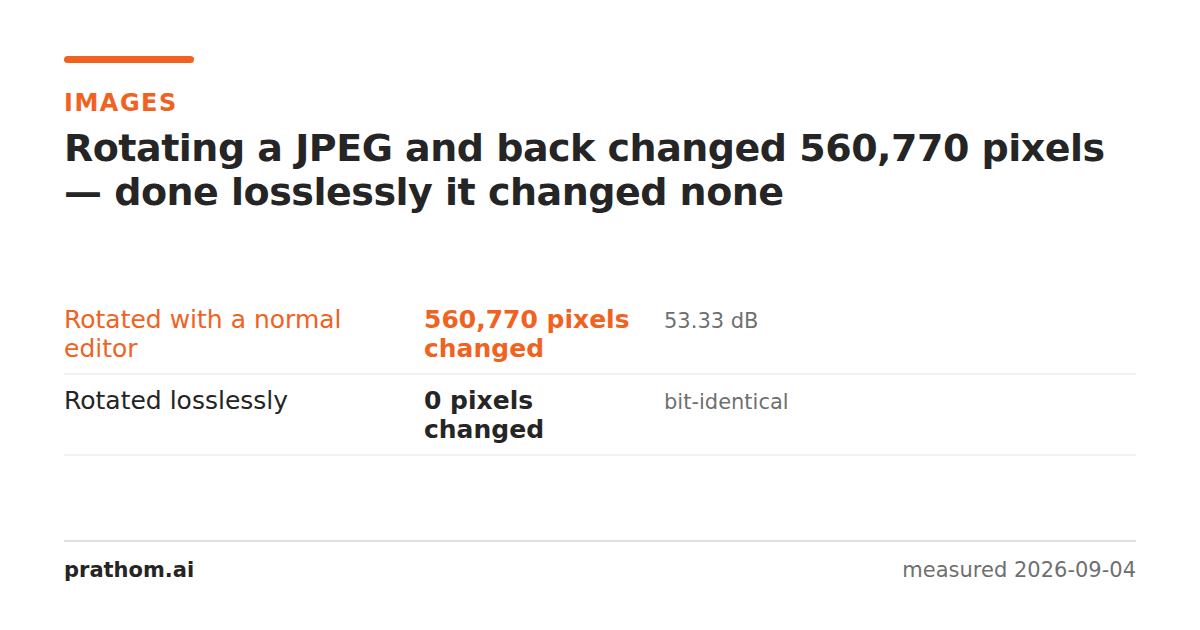
A JPEG rotated ninety degrees and then rotated back, two ways:
| method | pixels changed | vs the original |
|---|---|---|
| an ordinary editor | 560,770 | 53.33 dB |
| a lossless rotation | 0 | bit-identical |
Same picture, same orientation at the end, and one of them is not the file that went in.
Why the normal path loses
A JPEG is not a grid of pixels on disk. It is a set of frequency coefficients for 8×8 blocks, quantized and entropy-coded. To turn the picture, a general-purpose editor has to:
- decode the coefficients back into pixels,
- rotate the pixel grid,
- quantize and encode all over again.
Step three is where it goes. The second encode is a fresh generation of JPEG loss, applied to an image whose only crime was being the wrong way up. It is the same mechanism as re-saving a JPEG repeatedly, just triggered by an operation that does not feel like a save.
Why the lossless path does not
For rotations that are multiples of ninety degrees, the transformation can be done on the compressed data directly. The 8×8 blocks are rearranged and the coefficients within each block are transposed — no decode, no quantization, no new generation. The result is the same image, exactly, and rotating it back returns the original file bit for bit. Zero pixels changed, in the table above, is a literal zero.
There is one honest caveat, and it is visible in the sizes: the losslessly rotated file came out at 429,659 bytes against 405,276 for the re-encoded one. The rearranged coefficients do not compress quite as tightly as a fresh encode would. So the lossless path costs about 6% more space and loses nothing, and the lossy path saves 6% and permanently degrades the picture. That is not a close call for a photograph you intend to keep.
The other caveat is dimensions. Lossless rotation works cleanly when the width and height are multiples of the block size; when they are not, a strict tool will either refuse or trim a few edge pixels rather than silently re-encode. A tool that always succeeds on any image is probably re-encoding.
Where this actually bites
Fixing photos from a phone. A batch of holiday pictures turned upright is a batch that has been through another generation of compression. One pass is not visible on its own; it is the third and fourth that show, and rotation is one of the passes people do not count.
Scans. A page scanned sideways and rotated is text and thin lines, which is where JPEG artifacts are most visible — the same reason JPEG is a poor choice for text in the first place.
Anything already compressed hard. An image saved at a low quality has less left to lose, and loses it faster.
When it does not matter at all
PNG, WebP lossless, TIFF and BMP are not affected by any of this — they store pixels, so rotating them rearranges pixels and nothing is approximated. The problem is specific to lossy formats, and in practice specific to JPEG.
Check whether your tool is lossless
jpegtran -rotate 90 -outfile out.jpg in.jpg
jpegtran -rotate 270 -outfile back.jpg out.jpg
cmp in.jpg back.jpg && echo "identical"
If cmpsays the files are identical, the rotation was lossless. Run the same
round trip through whatever tool you normally use and compare — a tool that
re-encodes will produce a different file, and magick compare -metric AEwill
tell you how many pixels moved.
That is a five-second test worth doing once on the tool you use for a photo library, because the answer applies to every image you ever put through it.
The metadata shortcut, and why it is not always enough
There is a third option between the two in the table: leave the pixels alone and change the EXIF orientation flag, which tells a viewer to display the image rotated. That is genuinely free and genuinely lossless.
It is also unreliable. Plenty of software ignores the flag — older browsers, some upload pipelines, some print services — so an image that looks correct in your photo app arrives sideways somewhere else. If the picture is going anywhere you do not control, the pixels need to actually move, and then the only question is whether the tool doing it re-encodes.
The practical version
Rotate imageturns a picture, and flip image mirrors it — the same reasoning applies to both, since a flip is the same class of block-level transform.
If the file is a JPEG you care about, rotate it once, from the original, rather than repeatedly. And if you are about to run a whole folder through a rotation, keep the originals until you have looked at one of the results at full size.