Rotating Every Page of a PDF Cost 29 Bytes
A rotated PDF looks like a document that has been redrawn, so people expect rotating one to cost something — quality, size, or both. It costs almost nothing, and understanding why tells you which other PDF operations are safe and which are not.
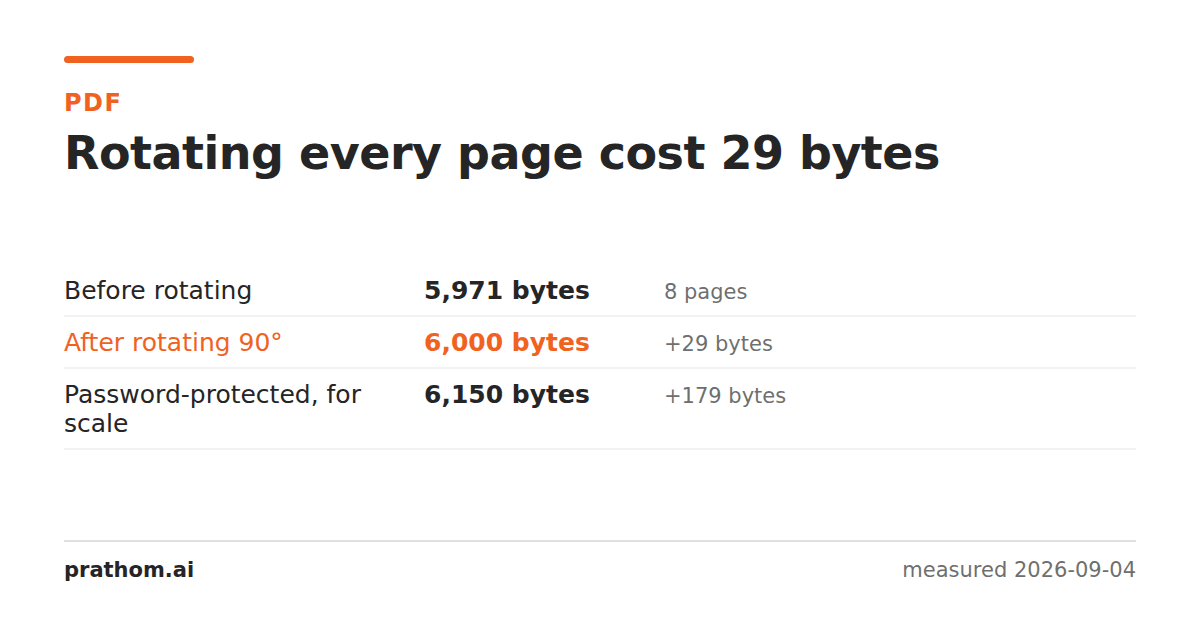
An eight-page PDF, rotated ninety degrees:
| size | change | |
|---|---|---|
| before | 5,971 B | — |
| after rotating every page | 6,000 B | +29 B |
| password-protected, for scale | 6,150 B | +179 B |
Twenty-nine bytes for eight pages. Under four bytes a page.
Rotation is a property, not an operation
Every page in a PDF can carry a /Rotateentry: a number, one of 0, 90, 180 or
270, saying how the viewer should turn the page before showing it. Nothing about
the page's contents changes. The text is in the same place, at the same
coordinates, in the same order. The viewer applies a rotation on the way to the
screen.
So rotating a document means writing that number onto each page object — or changing one that is already there. Eight pages, a small number each, plus the few bytes the cross-reference table grows by. Twenty-nine.
This is why a rotated PDF has exactly the same text layer as the original: you can still copy from it, search it, and extract from it, and the results are identical to before. Nothing was re-rendered, so nothing could be lost.
What this tells you about the other operations
The useful generalisation is that PDF operations divide into two kinds.
Operations that edit the structure — rotating, reordering, merging, splitting, deleting pages, adding a password. These move objects around or change fields on them. They are fast, they are close to free in size, and they do not touch the quality of anything, because nothing is redrawn. The passwordrow above is in this family: 179 bytes to encrypt every object in the file.
Operations that re-render — compressing, flattening, converting to images, rasterizing for print. These take the drawing instructions and produce new ones, usually with less detail. They can save a great deal of space and they are lossy by construction. What each compression preset actually removes is measured here.
When you are deciding whether an operation is safe to run on your only copy, that is the question worth asking: does this edit the structure, or does it redraw the page?
The one thing rotation will not fix
A page that is upside down inside its own image — a photograph of a document taken sideways, then placed on an upright page — is not a rotation problem. The page is the right way up; the picture on it is not. Rotating the page turns the whole thing, and the picture is still sideways relative to it.
That case needs the image straightened before it goes into the PDF. It is worth checking which one you have before rotating a hundred pages and finding half of them are now sideways in the other direction.
Check it yourself
qpdf --rotate=+90 in.pdf out.pdf
ls -l in.pdf out.pdf
pdftotext out.pdf - | head
Three things to notice: the sizes are nearly identical, the command finishes instantly however large the document is, and the text still comes out. That last one is the real test — it proves nothing was re-rendered, because a re-rendered page would have no text layer to extract.
Rotating some pages and not others
--rotate=+90:2-5turns a range rather than the whole document, which is the
common real case: a report where somebody scanned four pages sideways. Doing it
page by page costs the same nothing per page.
The one thing to get right is the direction. +90and -90are both a quarter
turn and it is genuinely hard to predict which one you want from a description;
it is faster to run one, look, and run the other if it was wrong. Since the
operation is free and lossless, guessing wrong costs nothing at all — which is
not true of the equivalent operation on a JPEG, where each guess is a fresh
generation of loss.
The practical version
Rotate PDFturns pages and costs you nothing worth measuring — do it freely, including on a file you care about. If what you actually need is the pages in a different order rather than a different orientation, organize PDF pagesis the tool for that, and it is in the same structural family: cheap, and lossless.
Worth noting that a rotation applies to the page, not to what is on it. If a scanned page is upside down inside an otherwise upright page, rotating will turn the whole thing and leave the picture wrong relative to its new orientation. It is worth looking at one page of the result before running a rotation across two hundred.