An SVG Straight Out of the Export Dialog Was 38% Metadata and Spare Digits
SVG is text, and an export dialog writes a lot of text nobody asked for: who made the file, when, in what, and every coordinate to six decimal places. None of it draws anything, and on a small logo it is more than a third of the file.
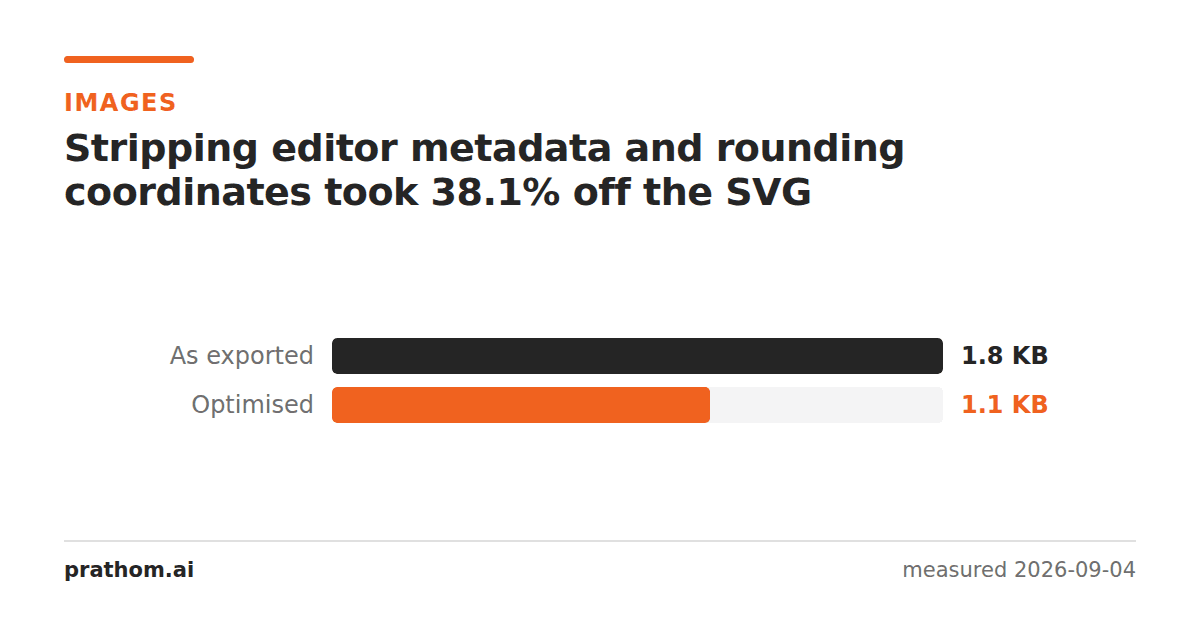
A logo as a drawing program exports it, and the same logo with the mechanical waste removed:
| size | |
|---|---|
| as exported | 1,823 B |
| optimized | 1,129 B |
38.1% off, and the two files render identically — same shapes, same colors, same everything a viewer sees.
What was in the 38%
Editor metadata. A block of RDF describing the document title, the creator and the date. It is written by the program that made the file so that program can recognize it later. A browser ignores it completely.
Comments. A generator line, usually naming the software and its version.
Coordinate precision. This is the big one, and it is invisible until you look
at the source. A circle center written as 396.000000instead of 396is nine
characters where two would do. Multiply by every coordinate in every shape and it
adds up fast — an exporter writes six decimal places because it is printing a
floating-point number, not because the drawing needs sub-nanometer placement.
Two decimals is far more than enough for a graphic that will be displayed at a few hundred pixels. Below about that, the rounding starts to move points visibly; above it you are paying for digits that cannot be seen at any zoom level anyone will use.
Whitespace between elements. Indentation makes the source readable. Nothing reads it.
Why this matters more for SVG than for other formats
An SVG is usually inlined — pasted straight into the HTML or the CSS rather than fetched as a separate file. That means it is part of the document, it is downloaded before anything can render, and it cannot be cached separately from the page. Every byte is on the critical path in a way that a linked image's bytes are not.
It also means the waste is repeated. An icon inlined on every page of a site carries its metadata block on every page.
There is a second reason the gain is worth having: an SVG on the wire is compressed, and unlike some savings that mostly vanish under gzip, a good part of this one does not. Removing the metadata removes content, not just formatting — and a shorter number is genuinely fewer characters, not repeated whitespace the compressor was going to fold anyway.
What an optimizer should not do
The aggressive settings on most SVG optimizers will also merge paths, drop
idattributes, convert shapes to paths and rename things. Each of those can
break something:
idattributes may be targets for CSS or JavaScript, or for anaria-labelledbyon the accessible name.- Shape-to-path conversion makes a
<circle>into a<path>, which is usually smaller and is no longer editable as a circle if the file goes back to a designer. - Merging paths can change stacking or fill-rule behavior on overlapping shapes.
The safe subset — metadata, comments, precision, whitespace — is what produced the 38% above, with no behavioral risk at all. Turn the rest on one setting at a time and look at the result.
Check what is in yours
An SVG is text, so the fastest audit is to open it:
head -40 logo.svg
grep -c "\." logo.svg
Look for an <metadata>block, a comment naming the program that made it, and
coordinates with more than two or three decimal places. Those three account for
almost all of the mechanical waste, and you can see whether they are present in a
few seconds.
A second pass that is worth more than the bytes
While the file is open, check two things that have nothing to do with size:
A <title>element. An inline SVG with no title has no accessible name, so a
screen reader announces nothing where your logo is. One line fixes it.
A hard-coded widthand heightin pixels. They stop the graphic scaling
with its container. Removing them and keeping only the viewBoxis what makes an
SVG behave like a vector in a layout rather than like a fixed-size image.
Neither shows up in a file-size measurement, and both are more likely to be wrong in an exported file than the metadata is.
The practical version
SVG optimizerdoes the pass. Run it once when the file arrives from the designer rather than repeatedly in a build, and keep the original: an optimized SVG is much harder to edit by hand, and you will want the unrounded version when the logo changes.
If you need a raster from it afterwards, SVG to PNGrenders at any size — and the size at which the vector starts being the smaller choicedrops once the SVG itself is a third lighter.