Turn a Photo into a Pencil Sketch
This does not apply a sketch filter to your photo. It reads the photo, then draws a new image that depicts the same scene in graphite — with hatching that follows form, tonal values built up in layers, and the grain of paper underneath. The difference between redrawing and filtering explains almost everything about the result, including why the output is a different size to your input and why running it twice gives you two different drawings.
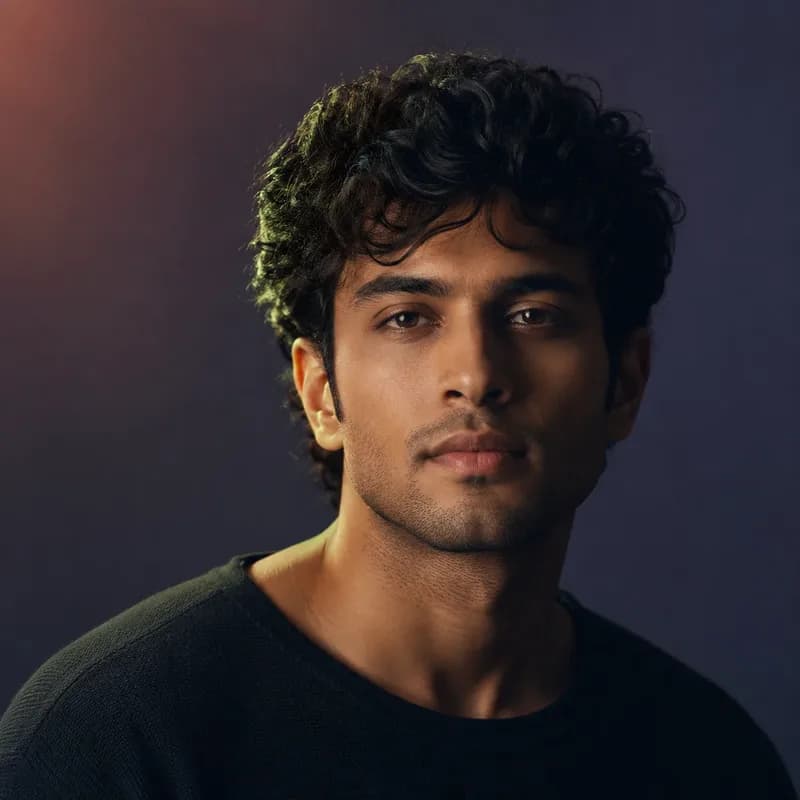

A real run of this tool, not a mock-up. Your result will differ.
Use this without the search next time. Prathom Workbench puts Prathom's tools in your toolbar.
Add to Chrome — freeDrop an image here, or click to browse
Up to 25 MB. Uploaded temporarily, deleted after processing.
What it does
- Redrawn as graphite rather than filtered
- Hatching that follows the form of the subject
- Paper grain and tonal layering
- A different drawing on every run
How to use Pencil Sketch
- 1
Choose a photo with clear form
Strong directional light helps most. Hatching depends on there being light and shadow sides to a shape, so a flatly lit subject gives the model little structure to draw.
- 2
Run the sketch
The photo is scaled to roughly one megapixel, read by the model, and a new graphite image is generated at that working size.
- 3
Run it again if you want a different one
Each run uses a fresh random seed, so a second attempt is a genuinely different drawing rather than the same one repeated.
How it works
Your photo is scaled so that its total area is about one megapixel, keeping the original proportions. That scaled copy is then read by an image-editing model, which is given both the picture and a written instruction describing a graphite drawing: natural hatching, paper texture, accurate proportions, a restrained monochrome range.
The model then generates a new image. It starts from random noise and refines it over several steps, steered at each step by both the instruction and the reference photo. What comes back is a drawing of your scene, not your photograph with an effect on top.
Why that distinction changes what you get
An edge-detection filter can only respond to local contrast. Every sketch filter in every photo editor works this way, which is why they share a family resemblance: dark outlines wherever the image changed quickly, empty white wherever it did not, and a uniform scribble texture that ignores what the subject is.
A model that has been trained on images has a rough sense of what it is drawing. That is why the hatching curves around a cheekbone, why a shadow under a jaw is built from layered strokes rather than a gray fill, and why a bright sky is left as bare paper instead of being filled with the noise a filter would find there.
It also explains the costs. A filter is deterministic and preserves your composition exactly. This does neither.
Choosing an image
Light does more for the result than resolution does.
Graphite drawing is about tonal range — the artist decides where the paper stays white, where it goes mid-gray, and where it is worked to near-black. A subject lit from the side has all three, and the drawing has structure. A subject lit flatly from the front has one value across most of its surface, and the model has to invent the shadow shapes that would give it form.
Busy backgrounds are the other thing to watch. The instruction asks for a coherent background, and where the original is cluttered the model tends to simplify aggressively, sometimes removing objects entirely.
Reading the result
Check identity first if there is a person in the frame, at full size and beside the original. Proportions are the usual place drift shows: the distance between the eyes, the width of the jaw, the shape of the hairline.
Then check the small repeated detail — railings, text, patterned fabric. These are consistently simplified, and whether that reads as an artistic choice or a mistake depends entirely on what you are using the drawing for.
Publication gate
This page ships once the workflow has been run against a side-lit portrait, a flatly lit portrait, and an architectural subject, with identity and proportion compared against each source at full size.
Examples
Portrait with side light
Directional light gives the model shadow shapes to hatch into, which is what makes a sketch read as a drawing rather than a traced outline.
Building against a bright sky
Hard geometric edges come through well, but fine repeated detail such as window frames is often simplified into fewer, cleaner lines.
Frequently asked questions
Why is the output a different size to my photo?
The image is scaled to about one megapixel before the model reads it, and the drawing is generated at those dimensions. The aspect ratio of your original is preserved, so nothing is stretched, but a sixteen megapixel photo comes back much smaller. That working size is a deliberate limit: the model fits comfortably in the available memory there, and going larger costs far more time than the extra detail is worth.
Why do I get a different drawing every time?
Because the process starts from random noise and shapes it into an image, and the starting noise is new on each run. This is intentional here. If you dislike a result, running it again is a real second attempt rather than a repeat, in the same way that asking an artist to redraw something produces a new drawing rather than a photocopy.
Does it keep the person recognizable?
Usually, and not reliably enough to skip checking. The model is instructed to preserve identity and composition, and on a clear, well-lit face it generally does. But it is generating a new image rather than tracing yours, so proportions can drift, and unusual features are the most likely thing to be normalized toward something more typical. Compare the two side by side before using the result anywhere it represents a real person.
How is this different from a sketch filter in a photo editor?
A filter computes each output pixel from the pixels near it — typically by detecting edges and inverting them — so it can only ever mark where contrast changed. It has no idea what it is looking at. This model has some understanding of the scene, which is why hatching follows the curve of a cheek rather than running uniformly across it, and why flat areas are left as paper rather than filled with noise.
Is the AI Pencil Sketch tool free, and do I need an account?
No sign-up. The pencil sketch workflow takes an image up to 25 MB, runs it on the GPU host and hands back a file you can download directly. Nothing is charged and nothing is stamped onto the output. Because no account exists, nothing keeps your history either, so save the result within the thirty minutes the job is retained.