Flattening a PDF Made It 14 Times Bigger and Deleted Every Searchable Word
Flattening is what you do when a form must stop being fillable or a signature must stop being movable, and it is often described as if it just locks things down. It does more than that: it replaces the page with an image of the page, and everything that made the page text goes with it.
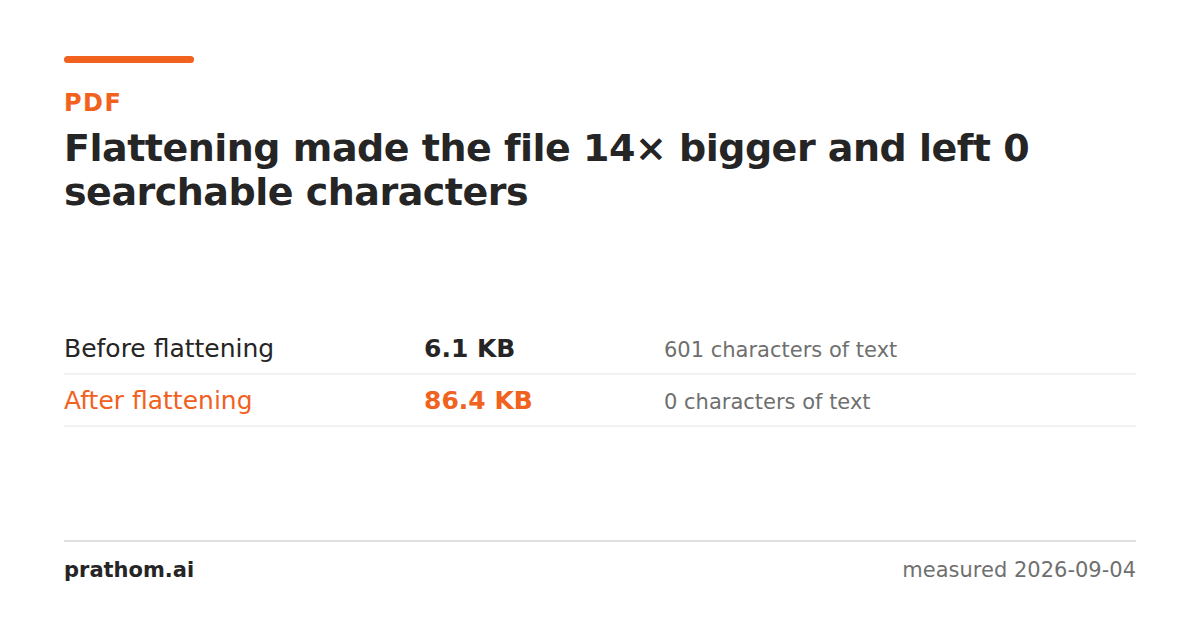
A ten-page text document, before and after flattening:
| size | extractable text | |
|---|---|---|
| before | 6,223 B | 601 characters |
| after | 88,445 B | 0 characters |
Fourteen times larger, and a text extractor now finds nothing at all.
What flattening actually does
A PDF page can carry things that are not simply drawn: form fields, annotations, comments, signature widgets, layers. Flattening removes that separation — it takes what those things currently look like and bakes it into the page so nothing is interactive any more.
The thorough way to guarantee that is to render the page and keep the picture. That is what produced the numbers above, and it explains both of them:
The size goes up because a page of text is a few hundred bytes of drawing instructions and a picture of that page is an image at whatever resolution it was rendered at.
The text goes away because there are no longer any show-text instructions to find. The words are visible to a human and absent from the file. Searching the document finds nothing; copying from it copies nothing; a screen reader reads nothing, which makes the flattened file inaccessible in a way the original was not.
When flattening is the right call
A signed document that must not be edited. The signature and the values are fixed, and that is the point.
A form being archived. Field data can be lost or re-rendered differently by another viewer; flattening freezes what it looked like when it was submitted.
A file going to a printer or a system that mishandles interactive elements. Not every renderer draws form fields the same way, and flattening removes the disagreement.
When it is the wrong one, and what to do instead
If you want the document not to be editable, flattening is heavier than necessary — a password with the right permissionsis a lighter answer, with the caveat that permissions are a request rather than a lock.
If you want something removed, flattening is the wrong tool entirely. It preserves everything that is visible, including anything you wish were not — a black box drawn over a line stays a black box over a line, and while the text underneath is no longer extractable, the file is now an image that still shows what it showed. For actually taking content out, that needs a redactor.
And if the text mattered, it is not gone forever — OCR reads it back off the picture, at the cost of a lossy round trip.
Check whether a file has already been flattened
pdftotext suspect.pdf - | wc -c
Zero, or close to it, on a document that visibly contains words means the words are not text. Either it was scanned or it was flattened, and the file size tells you which: a flattened text document is oddly large for its page count, and a scan is very large.
This matters when you receive a document you are expected to work with. A flattened contract cannot be searched for a clause, quoted from, or read aloud by assistive software, and none of that is obvious from looking at it.
The resolution you flatten at is a decision
The measurement here used 150 DPI, which is the point at which OCR reads a page reliably. Flattening at 72 produces a much smaller file that looks acceptable on screen, prints badly, and is below the threshold where text can be read back off it.
If you are flattening something that may need to be searched again later, 150 is the floor rather than a nicety.
The practical version
Flatten PDFwhen interactivity has to end. Check the size afterwards, because on a text document the jump is large — and if it matters, the PDF compressorwill bring a flattened file back down, since it is now an image document and that is exactly what compression presets are good at.
Before you flatten, run PDF to texton the original and keep the output. It costs a second, and it is the only copy of the words you will have afterwards.