OCR Recovered Every Character Flattening Had Removed
A flattened PDF has no text layer, which is often described as the text being lost. It is not lost, it is only no longer written down — the words are still drawn on the page, and reading them off a picture is exactly what OCR does.
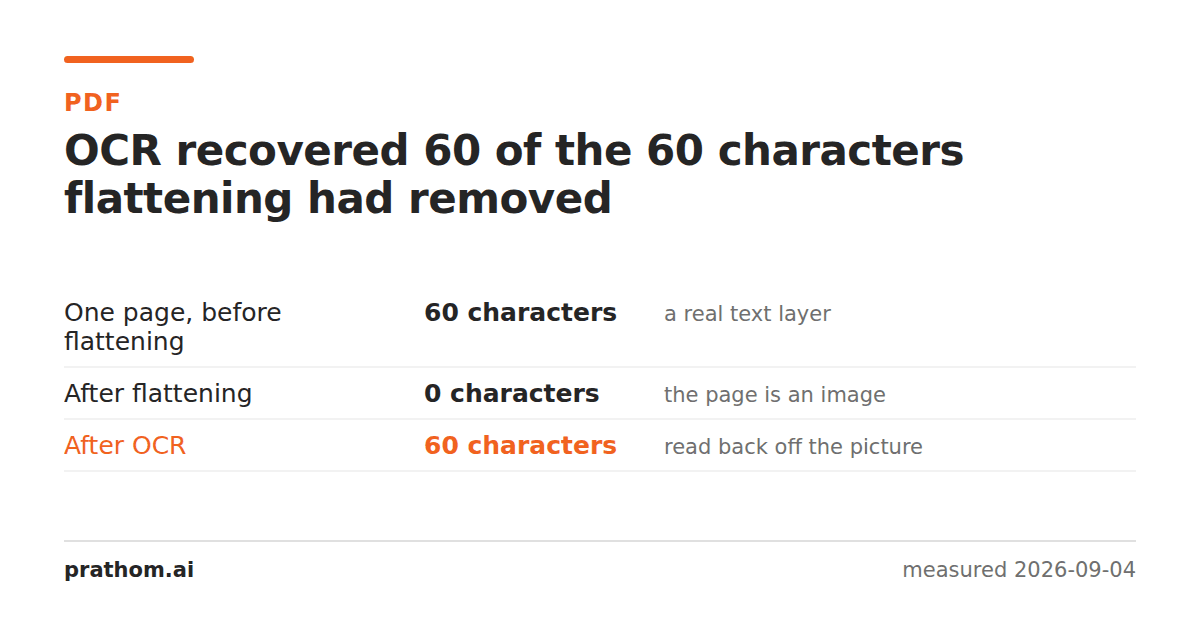
The same page, at three stages:
| extractable characters | |
|---|---|
| before flattening | 60 |
| after flattening | 0 |
| after OCR | 60 |
Every character back, including the heading — the extractor found the words
Report pagein the recovered text exactly as the original had them.
Why this works so well here
The page is a clean, digitally-rendered document: sharp black type on plain white, at a rendering resolution of 150 DPI. That is the best case for optical character recognition and it is not a coincidence — a flattened PDF is generated from the document rather than photographed, so it has none of the problems a real scan has.
No skew. No shadows or uneven lighting. No paper texture, no bleed-through from the other side, no coffee. The characters are the shapes the font drew, rendered at a resolution the OCR engine is comfortable with.
Resolution is the variable that matters most, and it has been measured separately: OCR reads nothing at 72 DPI and everything at 150. A flattened PDF made at 150 is on the right side of that line; one made at 72 to save space is not.
What OCR still costs you
Formatting. The recovered text is words in reading order. Tables become runs of numbers, columns interleave, headings look like body text. Layout is not part of what comes back.
Certainty. The original text layer was the document; the recovered one is a reading of it. On clean type the error rate is very low, but "very low" is not zero, and nothing marks which characters were guesses.
The file size. You are keeping the flattened, image-based document — 14 times the original— plus a text file beside it.
The order that avoids all of this
If you control the document, extract the text before flattening. It takes a second, it is exact, and it keeps the formatting information the OCR pass cannot recover.
OCR is the answer when you do not control it: a flattened file somebody sent you, a scan, an export from a system that only produces images. In that case it is a very good answer, and on a machine-rendered page it is close to perfect.
Check what you are dealing with first
pdftotext document.pdf - | wc -c
If that returns real text, stop — you have a text layer and OCR would only make things worse by replacing exact characters with recognized ones. If it returns nothing, the page is a picture and OCR is the tool.
It is worth running before every OCR job. A surprising number of documents that look scanned do have a text layer, usually because the scanner software already ran OCR and stored the result invisibly behind the image.
What raises the accuracy
Resolution. 150 DPI or better, and there is little point above 300.
Straightness. A page scanned at an angle costs accuracy fast. Deskewing before OCR is worth more than any engine setting.
Contrast. Clean black on white. Converting a color scan to grayscaleoften helps by removing the paper's color cast, which the recognizer has to work around.
Language. Telling the engine what it is reading helps it choose between characters that look alike.
Contrast between the type and anything behind it. A watermark across the page is the common cause of a sudden accuracy drop, because the recognizer has to separate two overlapping marks.
The practical version
PDF to textpulls the text layer out when there is one — try it first, because if it returns the words you are done and nothing was approximated. When it comes back empty, OCR PDFrenders the pages and reads them. Image to textdoes the same for a screenshot or a photograph of a page.
Why a PDF has no text to copy in the first place, and how to tell which kind you have, is its own question.
A last note on trust. Recovered text reads exactly like original text — there is no marker distinguishing a character that was read confidently from one that was guessed. If the document is going to be quoted, searched for legal purposes or used as a source of numbers, the recovered version is a convenience and the picture is still the record. Keeping both, and knowing which is which, is the habit worth having.