GIF Was Perfect on a Page of Text and Ruined the Photograph
GIF is usually described as a lossy format, or at least as one that ruins images. That is not quite right. GIF's compression is lossless; what it cannot do is hold more than 256 colors. On an image that already has fewer than that, GIF is perfect. On a photograph it is a disaster. The same format, two completely different outcomes.
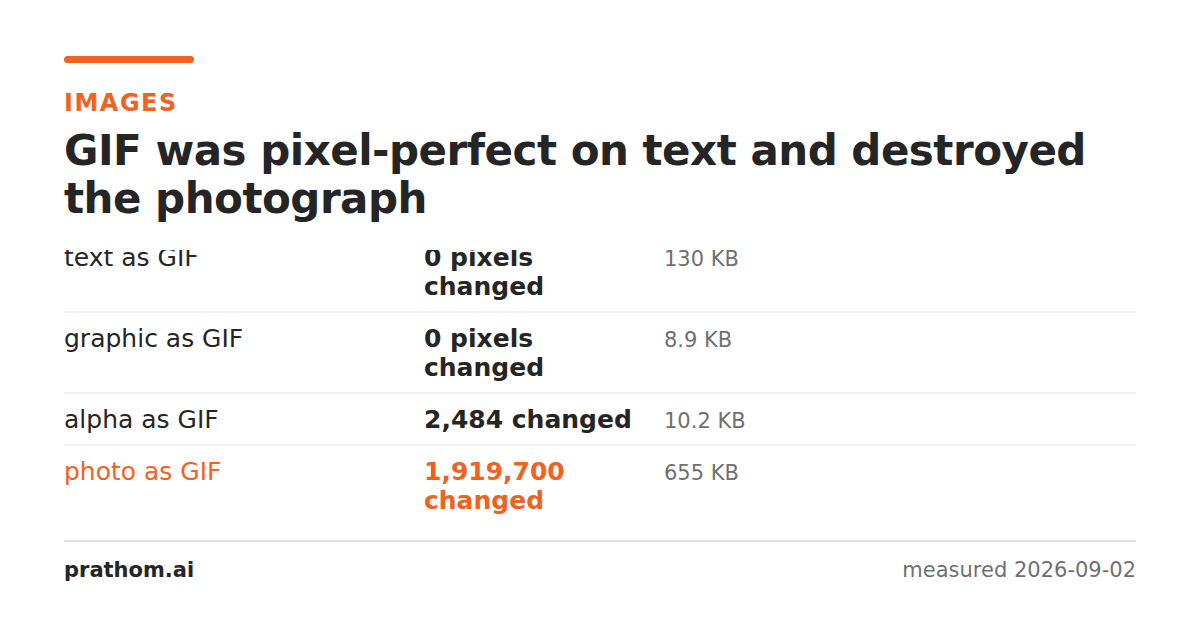
Four images converted to GIF and compared against the source pixel by pixel:
| image | GIF size | pixels changed |
|---|---|---|
| page of text | 133,436 B | 0 of 1,920,000 |
| flat graphic | 9,136 B | 0 |
| shape with transparency | 10,445 B | 2,484 |
| photograph | 671,100 B | 1,919,700 |
The first two are perfect reproductions. The last one changed essentially every pixel in the image.
The 256-color limit is the whole story
GIF stores an index into a palette of at most 256 colors. Its compression, LZW, is lossless — it recovers exactly the indices it was given.
So the question is never "is GIF lossy". It is "does this image contain more than 256 distinct colors". If it does not, the palette holds everything and the result is exact. If it does, the encoder must map every color to the nearest palette entry before compression begins, and that mapping is where the loss happens — outside the compressor entirely.
A page of black text on white, after anti-aliasing, contains a few hundred gray levels at most, and often far fewer. It fits. A photograph contains tens of thousands of distinct colors in a single frame. It does not fit, and 1,919,700 pixels get a different value.
What "changed" looks like on the photograph
Two artifacts, both characteristic enough to identify GIF at a glance.
Banding. A smooth gradient — a sky, a wall, a soft shadow — has its many intermediate tones collapsed into the handful the palette has room for. The result is visible bands of flat color with hard edges between them.
Dithering. To hide the banding, encoders scatter pixels of two adjacent palette colors in a pattern that averages to the intended shade. It works, and it replaces smooth areas with fine noise. That noise is also expensive: it destroys the runs of identical pixels LZW depends on, which is why the GIF of the photograph was 671,100 bytes — nearly nine times the size of the same photograph as lossy WebP at quality 80, and with far worse quality.
Where this leaves GIF
For static images, essentially nowhere. On the two images GIF handled perfectly, PNG and lossless WebP were both smaller — 77,673 and 10,984 bytes for the text page against GIF's 133,436 — and equally exact. There is no static image for which GIF is the best available choice on technical grounds.
The reasons it survives are not technical:
Animation that plays anywhere. An animated GIF works in an email, in a chat window, in a document, in a forum post, and in every context where a video element is stripped or blocked. Nothing else has that reach. It is enormously inefficient — the same animation as a short video is typically a tenth the size — and the inefficiency is often worth paying for the compatibility.
Being expected. Some platforms accept GIF and not WebP or video for particular features, and arguing about it is not productive.
Transparency that must work in ancient software. GIF's one-bit transparency is crude and it visibly damages soft edges, and it is understood by essentially everything ever written.
If you have to use GIF
Reduce the colors deliberately rather than letting the encoder do it. Choosing a palette that suits your image — and turning dithering off if the image is flat — gives a much better result than the default.
Check whether your image already fits. If it does, GIF costs you only size:
magick identify -format "%k unique colors\n" image.png
Under 256 means GIF will be exact. Well over means you are choosing how much damage to accept.
For an animation, ask whether a video would do. If the context allows it, an MP4 or WebM of the same animation will be dramatically smaller and better looking.
The general shape of this
GIF is a clean example of a distinction that applies to every format, and that gets blurred by the words "lossy" and "lossless" being attached to formats rather than to paths.
The compression algorithm and the representable range are separate things. LZW is lossless. GIF's palette holds 256 colors. Whether a GIF conversion loses anything depends on the second, not the first — and the loss happens before the compressor is ever invoked.
The same split explains why "lossless" WebP changed every pixel of a 16-bit source: WebP's compression is lossless and its representable range is 8 bits per channel. It explains why a transparent PNG saved as JPEG comes back with a white background: JPEG's compression is doing its job and JPEG has no alpha channel to represent the transparency.
In each case the useful question is the same, and it is not about the algorithm: what does my image contain, and can the destination format represent all of it? Colors, bit depth, alpha, color space, frames. Anything on that list the destination cannot hold is discarded before compression, silently, by a conversion that will report success.
For GIF specifically, the list is short and the limit is easy to check. Count the unique colors. Under 256, GIF is exact and merely inefficient. Over 256, GIF is making decisions about your image that you did not ask it to make.