Windows Line Endings Cost 1.8% on Disk and Three Bytes Compressed
Every line of a Windows text file ends with two characters where a Unix one ends with one. It is the oldest formatting difference in computing and it is worth a measurement, because the size argument turns out to be the least important thing about it.
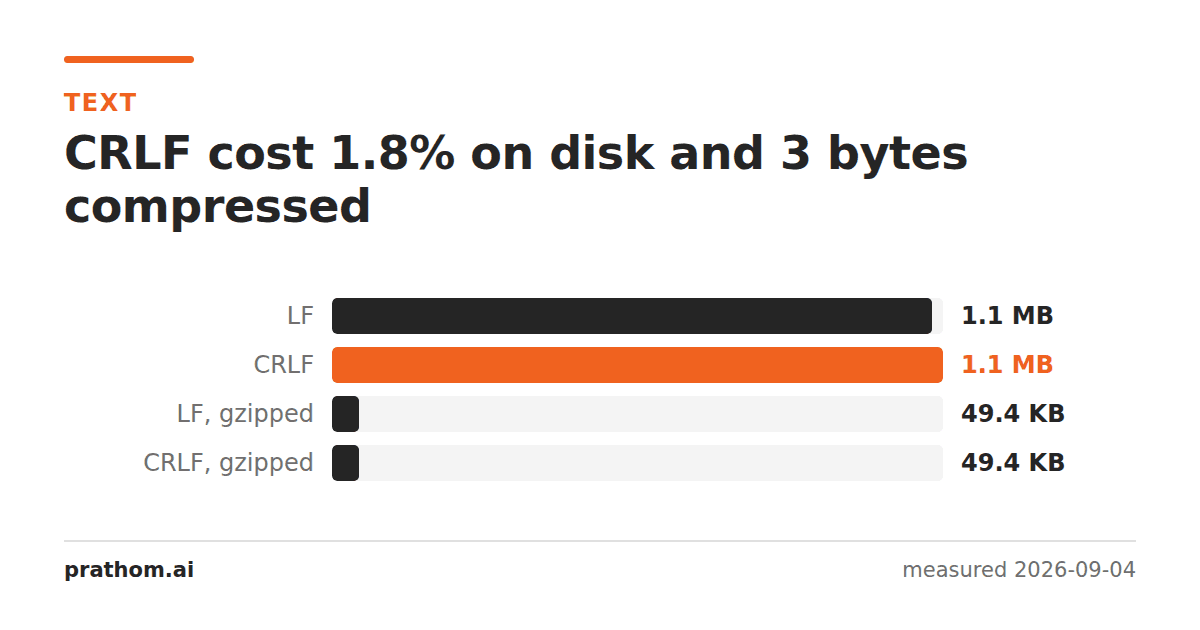
A 20,000-line text file, saved both ways:
| size | |
|---|---|
| LF (Unix, macOS, Linux) | 1,108,890 B |
| CRLF (Windows) | 1,128,890 B |
| LF, gzipped | 50,608 B |
| CRLF, gzipped | 50,611 B |
Twenty thousand extra bytes on disk — one per line, exactly — and three bytes once compressed.
Why the compressed difference is three bytes
A compressor is looking for repeated patterns, and \r\nat the end of every
line is the most repeated pattern a text file has. After the first few, each one
costs a reference to the previous, and a reference is the same size whether it
points at one character or two.
So the extra carriage returns effectively vanish. Three bytes across a megabyte is the cost of a very slightly different Huffman table.
This is the same shape as minifying JSONand base64 under gzip: differences that are structural and regular are exactly what compression is for, and arguments about them evaporate once anything is compressed.
What line endings actually cost you
Not bytes. The costs are all in what reads the file:
Diffs that show every line as changed. Commit a file after an editor converted its endings and the diff is the whole file. The change is invisible on screen and total in the tooling.
Trailing ^Mcharacters. A CRLF file read by something expecting LF leaves a
carriage return at the end of every line. It does not print, so it shows up later
as a string comparison that fails for no visible reason, or a value with an
invisible character appended.
Shell scripts that will not run. A script with CRLF endings fails with a message about the interpreter not being found, because the interpreter name it parsed has a carriage return stuck to it.
CSV fields that gain a character. A CSV round-tripped between platforms can pick up carriage returns inside quoted fields, which is one of the ways a spreadsheet quietly changes your data.
What to standardize on
LF everywhere, and let editors and version control handle the conversion at the boundary. Every current Windows editor reads and writes LF happily; Notepad has since 2018.
The exception is files that a specifically Windows program will parse — some older configuration formats and a few Windows-only tools genuinely require CRLF. Those are worth knowing about individually rather than converting everything to be safe.
Check what a file has
file script.sh
It says ASCII text, with CRLF line terminatorswhen they are there and just
ASCII textwhen they are not. For a quick count either way:
grep -c $'\r' file.txt
Zero means LF throughout. A number equal to the line count means CRLF throughout. Anything in between means the file has both, which is the state that causes the most confusion — usually the result of one editor appending to a file another one created.
Making it stop recurring
Two settings do almost all of the work:
.gitattributes with * text=autotells git to store LF and check out
whatever the platform prefers, so the repository is consistent regardless of who
commits.
.editorconfig with end_of_line = lftells the editor, which is the other
half — git can normalize on commit, but only the editor can stop a file being
written with the wrong endings in the first place.
With both in place the question stops arising, which is worth more than the twenty thousand bytes.
The practical version
If a file arrives with the wrong endings, find and replacewill convert them in one pass. Remove line breaksis the tool when the problem is the opposite — text that has been hard-wrapped and needs the breaks taken out, which is what copying from a PDFleaves you with.
And whichever you choose, choose one. The cost of line endings is never the bytes; it is having both in the same project.
One last thing worth knowing: a file with mixed endings is not a rare accident. It is what you get when one tool appends to a file another tool created, which happens constantly in build pipelines and log processing. If a file confuses a parser for no reason you can see, counting its carriage returns against its lines is a five-second check that has explained a surprising number of afternoons.